Raspberry Pi Power Consumption 2026: Pi 5, Pi 4 and Zero Compared
A Raspberry Pi needs just a few watts at idle, which makes it a natural fit for servers and smart home hubs that run around the clock. We measured the most common models, from the Zero to the Pi 5, and worked out what running one 24/7 costs per year and which power-saving tips make a difference.
In short
For new always-on projects that do more than simple services like MQTT or DNS, the Raspberry Pi 5 (4 GB) is the best choice: it draws barely more power at idle than the Pi 4, but it’s much faster.
- Pi 5 (4 GB): ~3.0 W at idle, ~8.8 W under full CPU load
- Pi 4 (4 GB): ~2.9 W at idle – so there’s no need to replace one that’s already running
- Pi Zero 2 W: ~0.6 W at idle – plenty for simple services like MQTT or DNS
- Shut down but still plugged in, the Pi 5 draws ~1.7 W – one bootloader setting brings that close to zero
Power Consumption Overview
A Raspberry Pi stays in single-digit watts, while a typical desktop PC draws several times that even at idle. In the table, idle means the Pi has booted and has nothing running. The Pi 5 was headless and on Wi-Fi only; with more connected, the figure goes up (see the scenarios below).
| Model | Idle | Under load (full CPU) | Recommended power supply |
|---|---|---|---|
| Raspberry Pi 5 (4 GB) | ~3.0 W | ~8.8 W (up to ~16 W with SSD and 4K video) | 5 V / 5 A (27 W, USB-C) |
| Raspberry Pi 4 (4 GB) | ~2.9 W | ~6–8 W | 5 V / 3 A (15 W, USB-C) |
| Raspberry Pi 3 B+ | ~1.9 W | ~5.2 W | 5 V / 2.5 A (micro USB) |
| Raspberry Pi Zero 2 W | ~0.6 W | ~1.4 W | 5 V / 2 A (micro USB) |
| Raspberry Pi Zero W | ~0.3 W | ~1.2 W | 5 V / 1.2 A (micro USB) |
How we measured: All figures in the tables, including those for accessories, come from our own measurements, taken with an energy-monitoring smart plug between the outlet and the power supply. They include the power supply’s losses and are rounded. With a different power supply, other accessories or different software, your numbers will vary.
Raspberry Pi’s official table lists a typical board current of 150 mA for the Zero W (about 0.75 W) and 350 mA for the Zero 2 W (about 1.75 W). Our idle figures are lower for both, and so is our load figure for the Zero 2 W. When choosing a power supply, go by the official figures.
For a sense of the current in amps (when choosing a power supply or power bank, go by the table’s recommendation): at 5 V, 3.0 W works out to about 0.6 A, 8.8 W under full CPU load to about 1.8 A, and 16 W in the extreme case to just over 3 A. Since we measured at the outlet, the current at the Pi itself is a little lower.
Raspberry Pi 5 Power Consumption in Detail
Measurements by Scenario
| Scenario | Pi 5 (4 GB) |
|---|---|
| Shut down, still plugged in (soft-off) | ~1.7 W |
| Idle (headless, Wi-Fi only) | ~3.0 W |
| Idle (Ethernet + Wi-Fi + USB + HDMI) | ~3.6 W |
| YouTube HD (Chromium) | ~5.7–6.8 W |
| Full CPU load, all 4 cores (stress test) | ~8.8 W |
| Extreme load (CPU + USB SSD + 4K video) | up to ~16 W |
When you shut the Pi 5 down, its power management chip stays on and keeps drawing about 1.7 W. Raspberry Pi quotes 1 to 1.4 W for the board alone; our figure includes the power supply. The power-saving tips show how to bring it close to zero.
Pi 5 with Accessories – Extra Power Draw
| Accessory | Extra draw |
|---|---|
| Active Cooler (fan) | +0.5 W |
| NVMe SSD on the M.2 HAT+ | +1–2 W |
| AI HAT+ (Hailo-8L, 13 TOPS, i.e. trillion operations per second) during inference | +2–3 W |
| USB devices (hard drive, camera, etc.) | depends on the device |
Power Supply Requirements for the Pi 5
Raspberry Pi recommends the official 27 W power supply* (5 V / 5 A, USB-C Power Delivery) for the Pi 5. It also runs on a 15 W supply (5 V / 3 A), but then limits the USB ports. For the Pi 4 and the Pi 400 (the keyboard version of the Pi 4), the official 15 W power supply* is the right one.
⚠️ USB current limit: With a 15 W supply, all USB ports combined can only deliver 600 mA; with the 27 W supply it’s 1.6 A. Keyboard and mouse keep working, but USB hard drives, cameras and other power-hungry devices may not be detected.
First check whether the Pi already recognizes your supply as a 5 A one: vcgencmd get_config usb_max_current_enable returns a value other than 0 if the higher limit is active. If it doesn’t, you can lift the limit in /boot/firmware/config.txt: open the file with sudo nano /boot/firmware/config.txt, add this line at the end, save with Ctrl+O and Enter, exit with Ctrl+X and reboot:
usb_max_current_enable=1Only do this if your power supply is known to deliver 5 A but doesn’t identify itself to the Pi as a 5 A supply. If it can’t deliver 5 A, it gets overloaded, and the Pi crashes or the USB drive loses data. The safer options are the 27 W supply or a powered USB hub. Once the line is in config.txt, vcgencmd get_config usb_max_current_enable always reports the higher limit and tells you nothing about the supply.
Electricity Costs When Running 24/7
We use a round $0.30 per kWh as an example. For comparison, households in England, Scotland and Wales pay about 26p per kWh under the price cap set by the energy regulator Ofgem (October–December 2026), and the average US residential price was 18.16 cents in August 2026, according to the US Energy Information Administration (EIA). Servers like Nextcloud or Pi-hole almost never run at full load, so idle power is the realistic basis for 24/7 operation (8,760 hours a year).
| Model | Idle | Approx. cost per year |
|---|---|---|
| Raspberry Pi 5 | 3.0 W | ~$7.90 |
| Raspberry Pi 4 | 2.9 W | ~$7.60 |
| Raspberry Pi 3 B+ | 1.9 W | ~$5.00 |
| Raspberry Pi Zero 2 W | 0.6 W | ~$1.60 |
| Raspberry Pi Zero W | 0.3 W | ~$0.80 |
To use your own rate: watts × 8.76 × price per kWh = cost per year (8.76 is the 8,760 hours in a year divided by 1,000 to get kWh). A Pi 5 at 18 cents, for example, comes to 3.0 × 8.76 × 0.18 = about $4.70. To factor in accessories and time under load, try our Raspberry Pi power cost calculator.
Measuring Power Consumption
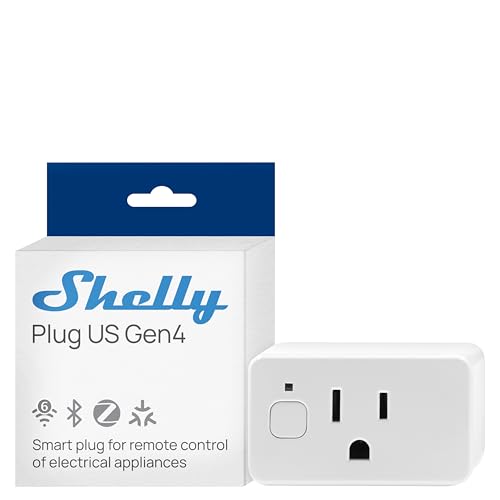
To measure total power draw, use an energy-monitoring smart plug such as the Shelly Plug US Gen4*, which reports straight to Home Assistant, or a USB-C power meter* between the power supply and the Pi. The smart plug includes the power supply’s losses; the USB meter only sees the Pi. The Shelly Plug US fits US outlets; elsewhere, any energy-monitoring plug that works with Home Assistant will do.
On the Pi 5 you can also read the power management chip (PMIC):
vcgencmd pmic_read_adcIt returns raw readings: the voltage and current for each of the board’s supply rails. It doesn’t give you a total in watts, and it doesn’t see power supply losses or USB devices.
Our picks for measuring power draw, plus the Pi 5 power supply:
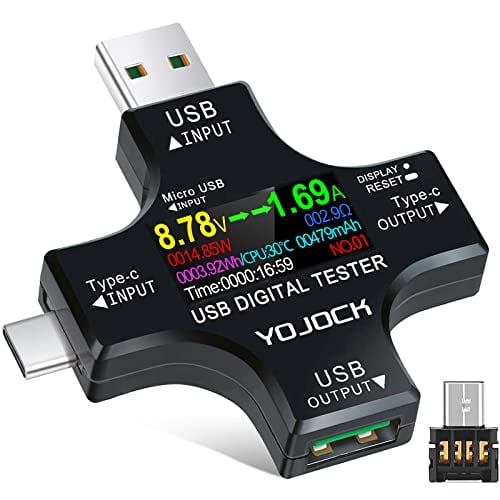
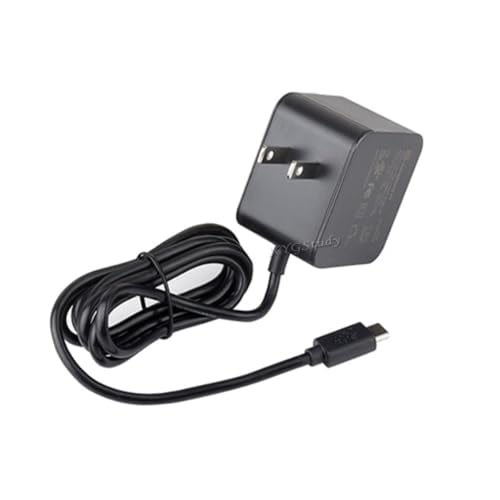
Our power supply buying guide shows which supply suits each model.
Power-Saving Tips
The biggest saving comes from choosing the right model: a Zero 2 W draws a fifth of what a Pi 5 does at idle. The settings below each save only a fraction of a watt. The exception is a Pi 5 that’s shut down but still plugged in, where the first setting saves the full 1.7 W or so. The Wi-Fi, clock speed and LED tips change /boot/firmware/config.txt: open it with sudo nano /boot/firmware/config.txt, add the lines at the end, save with Ctrl+O and Enter, exit with Ctrl+X and reboot the Pi.
Pi 5: Cut Power Draw When Shut Down
The bootloader setting POWER_OFF_ON_HALT=1 cuts the draw of a shut-down Pi 5 to around 0.01 W, according to Raspberry Pi. This tip is for the Pi 5, where the setting puts the power management chip into standby and the power button starts the Pi again. On the Pi 4 it only takes effect together with WAKE_ON_GPIO=0, and the Pi then only starts again once the GLOBAL_EN contact is connected to ground, so it’s not a good fit there. On the Pi 5, open the bootloader configuration:
sudo rpi-eeprom-config -eAdd the line POWER_OFF_ON_HALT=1, save with Ctrl+O, confirm with Enter and exit with Ctrl+X. The setting applies after the next reboot; from then on, shut the Pi down as usual. You can still switch the Pi back on with the power button, or by unplugging the power supply and plugging it back in.
Turn Off Wi-Fi and Bluetooth
⚠️ Wired connection required: If you can only reach the Pi over Wi-Fi, you’ll lose access to it after the reboot, so connect it with a network cable first. The Zero W and Zero 2 W have no Ethernet port; only turn off Wi-Fi there if the Pi doesn’t need a network.
Add these lines to /boot/firmware/config.txt and reboot the Pi:
dtoverlay=disable-wifi
dtoverlay=disable-bt
If you’ve locked yourself out, put the SD card in your computer, open config.txt on the bootfs partition and delete those two lines again.
Limit the CPU Clock
A lower maximum clock mainly cuts power draw under load, at the cost of performance. You set it in /boot/firmware/config.txt, for example on the Pi 4:
arm_freq=1000Depending on the board revision, the Pi 4 runs at 1,500 or 1,800 MHz, the Pi 3 B+ at 1,400 MHz and the Pi 5 at 2,400 MHz. The Zero 2 W already defaults to 1,000 MHz, so the line does nothing there. The values are in Raspberry Pi’s clock speed table, and the change applies after a reboot.
Leave the idle clock (arm_freq_min) alone, though. According to Raspberry Pi, going below the default doesn’t save any significant power and isn’t supported. On the Pi 5 the idle clock is 1,500 MHz, and a lower maximum would drop below it, so keep arm_freq at 1,500 MHz or above there.
Turn Off HDMI (Desktop Only)
On the Raspberry Pi OS desktop, you can turn off the display output with wlr-randr. Over SSH, set the WAYLAND_DISPLAY variable to the desktop session first:
export WAYLAND_DISPLAY=wayland-1
wlr-randr --output HDMI-A-1 --off
HDMI-A-1 is the first HDMI port. Running wlr-randr without options lists all outputs, and --on turns the output back on (see the Raspberry Pi documentation). Raspberry Pi OS Lite has no desktop, so this tip doesn’t apply there. The setting lasts until the next reboot, so it’s mainly useful on a desktop Pi that sometimes runs without a monitor. The old tvservice command no longer exists on current Raspberry Pi OS.
Turn Off the LEDs
You can turn off the activity LED in /boot/firmware/config.txt, and on the Pi 4 and Pi 3 B+ the power LED as well:
# Green activity LED
dtparam=act_led_trigger=none

# Red power LED (Pi 4, Pi 3 B+)
dtparam=pwr_led_trigger=none
The parameters come from the overlay documentation and take effect after a reboot. The Zero models have just one green LED for power and activity. On the Pi 5, green and red share one LED next to the power button, and the first line turns off the green. According to Raspberry Pi, it only lights red when you plug it in and in standby after shutdown. While the Pi is running, red is already off by default (the device tree sets its trigger to none), so the second line changes nothing there. Turning the LEDs off only saves milliwatts; the main reason to do it is a bright LED in a bedroom.
Check Clock Speed, Voltage and Temperature
These commands show whether a clock setting has taken effect, or whether the Pi is throttling because of low voltage or heat. They work on every model:
# CPU clock
vcgencmd measure_clock arm

# Core voltage
vcgencmd measure_volts core

# Temperature
vcgencmd measure_temp

# Throttle status (0x0 = OK)
vcgencmd get_throttled
measure_clock reports the clock speed in hertz, and measure_volts the core voltage in volts. get_throttled returns 0x0 as long as there has been no undervoltage or throttling; any other value points to undervoltage (power supply) or overheating.
Which Model for 24/7 Use?
| Use case | Recommendation | Idle |
|---|---|---|
| Simple tasks (scripts, MQTT, DNS) | Pi Zero 2 W | ~0.6 W |
| Smart home (Home Assistant), light servers | Pi 4 or Pi 5 | ~2.9–3.0 W |
| Docker, Nextcloud, NAS, media center | Pi 5 (4 GB) | ~3.0 W |
| AI inference, AI security camera | Pi 5 + AI HAT+ | ~3.3 W (+2–3 W during inference) |
The Zero W uses even less power, but it has a single CPU core and is much slower, so for most services the Zero 2 W is the better pick.
Our pick for 2026: at idle and $0.30/kWh, a Pi 5 (4 GB) costs just under $8 a year to run. According to Raspberry Pi, it’s two to three times as fast as the Pi 4. There’s no need to replace a Pi 4 that’s already running, though – switching won’t save you any power. Our Pi 5 vs. Pi 4 comparison covers whether an upgrade is worth it for other reasons.
💡 Part of our smart home guide: hardware, installation and more projects are in the Home Assistant hub.
Frequently Asked Questions
At idle (headless, Wi-Fi only), the Raspberry Pi 5 draws about 3.0 watts, or about 3.6 watts with Ethernet, HDMI and USB devices connected. Under full CPU load it’s about 8.8 watts, and up to about 16 watts with a USB SSD and 4K video. We measured at the outlet, so these figures include the power supply.
Raspberry Pi recommends a 5 V / 5 A USB-C Power Delivery supply (27 watts). The Pi 5 also runs on a 15 W supply (5 V / 3 A), but then limits all USB ports combined to 600 mA, so USB hard drives or cameras may not be detected.
At 3.0 watts idle and $0.30 per kWh, running a Pi 5 24/7 costs just under $8 a year.
Choosing the right model makes the biggest difference: a Pi Zero 2 W at about 0.6 watts is enough for simple services. On the Pi 5, the bootloader setting POWER_OFF_ON_HALT=1 cuts the draw when it’s shut down from about 1.7 watts to almost nothing. Turning off Wi-Fi, Bluetooth, the LEDs and, on the desktop, HDMI each saves only a fraction of a watt. Lowering the idle clock (arm_freq_min) makes no significant difference, according to Raspberry Pi.
The Raspberry Pi Zero W. It drew about 0.3 watts at idle in our measurements, and of the models here it also has the lowest board current in Raspberry Pi’s official table. The much faster Pi Zero 2 W draws about 0.6 watts. For Home Assistant or light servers, the Pi 4 and Pi 5 are nearly identical at about 2.9 to 3.0 watts.