Best Power Supply for Raspberry Pi 4 & 5 — Buying Guide 2026
The right power supply is not optional gear for your Raspberry Pi — it is the foundation of stable operation. Cheap out here and you risk data loss, random crashes, and corrupted SD cards. Every model has a matching official Raspberry Pi power supply, and there are cheaper alternatives that work too.
In short
For the Pi 5, go with the official 27W USB-C power supply or any other supply that delivers 5V/5A over USB-PD; for the Pi 4, the official 15W USB-C power supply or an equivalent model – old phone chargers are not an option.
- Pi 5 the official 27W USB-C power supply*: the Pi 5 negotiates up to 5A via USB-PD and throttles its USB ports to 600mA on weaker supplies.
- Also for your laptop the official 45W power supply*: it gives the Pi 5 no more power than the 27W model, even with an NVMe SSD or AI HAT+, but adds profiles up to 20V for other USB-C devices.
- Pi 4 the official 15W USB-C power supply (5.1V/3A)* or an equivalent model
Why the Power Supply Matters So Much on a Raspberry Pi
The processor, USB ports, GPIO pins and connected peripherals all hang off the same 5V supply – if it sags, everything is hit at once. Once the voltage drops below about 4.63V, the Pi reacts.
What happens then:
- Under-voltage warning: A yellow lightning bolt icon appears in the top right of the Raspberry Pi OS desktop — the direct sign that the voltage is too low
- Throttling: The processor automatically drops to lower clock speeds to save power
- Instability and crashes: Random freezes, hung processes, flaky network connections
- SD card corruption: An unexpected voltage drop during a write operation can damage data on the SD card — in the worst case the Pi won’t boot anymore
The lightning bolt icon is usually the first hint before real problems start. If you see it, replace the power supply immediately.
Requirements by Model — Overview
Connector type and power requirements differ considerably between Pi models:
| Model | Min. current | Recommended current | Connector |
|---|---|---|---|
| Raspberry Pi 5 | 5V / 3A | 5V / 5A (27W USB-PD) | USB-C |
| Raspberry Pi 4 Model B | 5V / 2.5A (only if USB devices draw under 500mA) | 5V / 3A (15W) | USB-C |
| Raspberry Pi 3 Model B+ | 5V / 2.5A | 5V / 2.5A | Micro-USB |
| Raspberry Pi Zero 2W | 5V / 2A | 5V / 2.5A | Micro-USB |
Important: The Pi 5 actively uses USB Power Delivery (USB-PD) to request up to 5A. A regular 5V/3A power supply without PD support only delivers 3A on the Pi 5 — that’s fine for simple applications, but it limits the USB ports: connected devices then get a combined maximum of 600mA instead of 1.6A — an external SSD often won’t even spin up.
Best Power Supply for Raspberry Pi 5
#1: Official Raspberry Pi 27W USB-C Power Supply
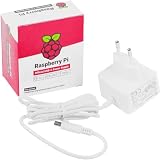
The official 27W USB-C power supply from Raspberry Pi Ltd.* is the recommended choice because its 5.1V/5A profile is tailored to the Pi 5.
- 5.1V / 5A (27W) with USB-PD negotiation
- Integrated cable (1.2m, 17AWG) with USB-C connector
- Three additional Power Delivery profiles: 9V/3A, 12V/2.25A, 15V/1.8A
- Wide-range input 100–240V
- Available in black* and white*
Pros: Perfect compatibility, reliable PD negotiation, no lightning bolt icon, integrated cable
Cons: No on/off switch, slightly pricier than no-name alternatives
➡ Check the official Pi 5 27W power supply on Amazon*
#2: Geekworm GaN 27W Power Supply — Budget Alternative
If you’d rather not buy the official power supply, the Geekworm GaN 27W USB-C power supply is a solid pick. It delivers 5.1V/5A with USB-PD.
- 5.1V / 5A, USB-PD compatible
- GaN technology (more compact, less heat than conventional power supplies)
- Comes with a 1.2m USB-C cable
Pros: Affordable, compact thanks to GaN, USB-PD works correctly
Cons: Not an officially certified Raspberry Pi product
➡ Check the Geekworm GaN 27W power supply on Amazon
For Power Users: Official Raspberry Pi 45W USB-C Power Supply
Since 2025 there has also been an official 45W USB-C power supply*. For the Pi 5 itself it delivers the same 5.1V/5A as the 27W model (the Pi can’t draw more anyway), but it brings two practical advantages:
- Additional PD profiles: 9V/5A, 12V/3.75A, 15V/3A, and 20V/2.25A — making it a universal power supply for laptops and other USB-C devices too
- 1.5m 17AWG cable: 30cm longer than on the 27W model, with the same wire gauge
Pros: Longer cable, usable as a universal charger
Cons: Gives the Pi 5 no more power than the cheaper 27W model – not even with an NVMe SSD or AI HAT+
➡ Check the official 45W power supply on Amazon*
Best Power Supply for Raspberry Pi 4
#1: Official Raspberry Pi 15W USB-C Power Supply
There is an official power supply* for the Pi 4 as well — 5.1V / 3A (15W), USB-C. The slightly elevated output voltage (5.1V instead of 5.0V) offsets part of the voltage drop across cable and connector.
- 5.1V / 3A (15W)
- Integrated cable, USB-C
- Wide-range input 100–240V
Pros: Perfect compatibility, reliable, correct 5.1V output voltage
Cons: No on/off switch
➡ Check the official Pi 4 15W power supply on Amazon*
#2: Bruphny 5.1V/3A with On/Off Switch
The Bruphny power supply for Raspberry Pi 4* also delivers 5.1V/3A and adds a small bonus: an inline on/off switch in the cable. Very handy when the Pi is mounted somewhere hard to reach.
- 5.1V / 3A (15W), USB-C
- Inline switch to power on and off without pulling the plug
- 1.5m cable length
Pros: Practical inline switch, affordable, 5.1V output voltage
Cons: The inline switch can lead to accidental shutdowns with kids around
➡ Check the Bruphny Pi 4 power supply with switch on Amazon*
On the Go & Battery Power — Running a Raspberry Pi off a Power Bank
If you want to run your Raspberry Pi on the move — portable camera projects, sensor stations, retro gaming handhelds — you need a suitable power bank. Not every power bank is up to the job.
Requirements for a Pi-ready power bank:
- At least a 3A USB-C output (for the Pi 4) — 2A is not enough because the voltage sags under load
- A 5V/5A profile for the Pi 5 – the wattage alone doesn’t tell you that. If the spec sheet only lists 3A at 5V, the Pi 5 still runs, but limits its USB ports to 600mA
- Capacity of 10,000mAh or more, ideally 20,000mAh for longer runs
Recommendation: The Anker Zolo power bank 20,000mAh (30W, 2025)* delivers up to 3A at 5V on its USB-C output. That’s plenty for the Pi 4. The Pi 5 runs on it in 3A mode: fine without an SSD or power-hungry USB devices, but the USB ports are then limited to 600mA. It only reaches its 30W at higher voltages, which the Pi 5 doesn’t use. How long it lasts depends on how much your Pi draws; our power consumption comparison lists the figures for each model.
➡ Check the Anker Zolo 30W / 20,000mAh power bank on Amazon*
Power over the Network Cable — PoE as an Alternative
For Pis installed where there is no wall socket — security cameras, access points, garden sensors, or the Pi in a server rack — Power over Ethernet (PoE) is the most elegant solution: power and network arrive over a single cable. You’ll need a PoE-capable switch or a PoE injector following the 802.3af/at standard, plus a PoE HAT on the Pi.
- Pi 5: The Waveshare PoE HAT for Raspberry Pi 5* delivers up to 5V/5A through the GPIO header. Since there’s no PD negotiation, the Pi 5 doesn’t detect the 5A on its own. To get the full 1.6A on the USB ports, open the file with
sudo nano /boot/firmware/config.txt, add the lineusb_max_current_enable=1at the very end, save with Ctrl+O and Enter, exit with Ctrl+X, and reboot withsudo reboot. - Pi 5 + NVMe SSD: The Waveshare PoE M.2 HAT+* combines PoE power and an M.2 slot for an NVMe SSD on a single board — ideal for compact servers
- Pi 4 / Pi 3B+: The Waveshare PoE HAT (802.3af/at)* reliably powers the older models over the network cable
Mind your switch’s PoE+ budget: a Pi 5 under load needs an 802.3at port (up to 25.5W) — plain 802.3af ports (15.4W) are only enough for the Pi 4 and older.
What Makes a Power Supply Unsuitable — the Most Common Mistakes
Not every power supply with the right label on it is suitable.
Thin Cables = Voltage Drop
A power supply outputs 5.1V — but what arrives at the Pi is another matter. Thin USB cables (AWG 28 or thinner) have noticeable ohmic resistance, and the more current flows, the more voltage they drop. There isn’t much headroom: from 5.1V at the supply to the under-voltage threshold of about 4.63V is less than 0.5V. The official supplies come with a fixed, thick cable (17AWG on the 27W model, 18AWG on the 15W model).
No USB-PD on the Pi 5
The Pi 5 negotiates via USB-PD how much current it may draw. Without a PD handshake, the Pi limits itself to 3A and additionally shows a warning in the taskbar. That’s not a showstopper for simple applications — but with an SSD or several USB devices attached, 600mA on the USB ports quickly runs short.
sudo rpi-eeprom-config --edit, add the line PSU_MAX_CURRENT=5000, save with Ctrl+O and Enter, and exit nano with Ctrl+X. The setting is only written to the EEPROM on the next reboot, so restart with sudo reboot. After that the Pi raises the USB limit to 1.6A. To check, run vcgencmd get_config usb_max_current_enable: if it reports 0, the 600mA limit still applies. Only use this if the supply delivers stable 5A — otherwise you invite exactly the under-voltage problems you’re trying to avoid.Wattage Claims on Cheap Products
Power supplies from unknown manufacturers on marketplaces like Amazon frequently advertise “27W” or “5A” — and there is no way to tell before you buy whether they hold those figures under load. If you buy an unknown power supply, test it with a USB voltage meter under load.
Phone Chargers Are Not Pi Power Supplies
Modern phone chargers (Qualcomm Quick Charge, Apple Fast Charge) are built around smartphone charging profiles. Raspberry Pi recommends a dedicated supply for each model, and without a 5V/5A profile the Pi 5 limits its USB ports to 600mA. A phone charger is fine for occasional testing, but not for continuous operation.
This guide’s picks at a glance
Prices and availability update automatically — each tile shows its own timestamp.
Related Articles
- Raspberry Pi Not Booting? Read the LED and Fix the Cause: Under-voltage is one of the most common boot failure causes — here’s the complete diagnostic checklist
- Best SD Card for Raspberry Pi: Which card survives intensive continuous use — with benchmarks and recommendations
- Raspberry Pi 5 vs. Pi 4 — Which Model Should You Buy?: Performance comparison, power consumption, and the right use case for both models
- Raspberry Pi Power Consumption — All Models Compared: How many watts your Pi draws and what that costs in continuous operation
- Best Heatsink for Raspberry Pi: Active, passive, or aluminium case — the right cooling for every setup
Short-term, yes — for testing and simple applications it usually works. For continuous operation you shouldn’t: phone chargers are built around smartphone charging profiles, not around the Pi, so go with the supply Raspberry Pi recommends for your model. With an underpowered charger you risk under-voltage, throttling, and in the worst case SD card corruption.
The yellow lightning bolt in the top right of Raspberry Pi OS signals under-voltage. The supply voltage has dropped below the critical threshold of about 4.63V. This is usually caused by a weak power supply or a cable that’s too thin. Replace both — not just the power supply, because the cable is often the real culprit.
Not strictly — but it’s recommended. Without a USB-PD-capable power supply, the Pi 5 limits the total current for its USB ports to 600mA and shows a warning. For simple projects without USB peripherals, 5V/3A is enough. As soon as you connect an SSD, several USB devices, or GPIO loads, you should use the official 27W power supply with USB-PD.
No — not even with an NVMe SSD and AI HAT+. The Pi 5 draws at most 5.1V/5A (around 25W), and the 27W and 45W supplies both deliver exactly that. The 45W model is only worth it if you want a cable that’s 30cm longer or want to use the supply for laptops and other USB-C devices thanks to its additional PD profiles (up to 20V).
The power bank needs to deliver at least 5V/3A on its USB-C output. The Pi 5 runs on 3A too, but limits its USB ports to 600mA – full USB current would need a 5V/5A profile, and the power bank’s spec sheet has to list it explicitly. As for capacity, 10,000mAh is enough; for longer runs, go for 20,000mAh.