Raspberry Pi Sensors: The 26 Most Important Modules at a Glance
Want to connect your Raspberry Pi to the real world – measure temperature, detect motion, keep an eye on air quality or turn a motor? Then you need the right sensors and modules. The choice is huge, and when you’re starting out it’s easy to lose track.
In this overview we cover the 26 most important Raspberry Pi sensors and modules, sorted by what they’re for, with the key specs, comparison tables and clear recommendations. We have our own guides for many of these modules and link to them where they fit.
In short
Most projects only need a handful of cheap modules that connect over I2C or a single GPIO pin.
- Climate: DHT22 to get started, BME280 for a weather station, DS18B20 for water and outdoor use.
- Motion and display: the HC-SR501 PIR sensor and the small SSD1306 OLED display.
- Important: the GPIO pins only tolerate 3.3 V. Analog sensors also need an ADC such as the MCP3008 or ADS1115.
Which interfaces does the Raspberry Pi have?
Most modules use one of these interfaces:
| Interface | Wires | Devices at once | Typical sensors |
|---|---|---|---|
| I2C | SDA + SCL + GND + 3.3 V | Up to 112 addresses, one per device | BME280, BH1750, SSD1306, INA219 |
| SPI | MOSI, MISO, SCLK, CS | Several (one CS pin each) | MCP3008, MFRC522, NRF24L01+ |
| 1-Wire | One data wire + GND + 3.3 V | Many (on one wire) | DS18B20* |
| UART | TX + RX | One per UART | GPS NEO-6M, MH-Z19C |
| GPIO | 1–2 pins (digital) | Depends on free pins | DHT22, HC-SR04, PIR |
Tip: I2C is the most convenient interface – several devices share the same four wires. You enable it in raspi-config just like SPI: enable SPI and I2C. Which pin does what is shown in our GPIO guide.
1. Temperature & humidity
Weather station, greenhouse control or home automation – temperature and humidity come up again and again in Raspberry Pi projects. The sensors differ a lot in accuracy and wiring, though.
DHT11, DHT22, SHT31, DS18B20 or BME280 – which one should you pick?
| Sensor | Temp. accuracy | Humidity accuracy | Interface | Approx. price | Recommendation |
|---|---|---|---|---|---|
| DHT11* | ±2 °C | ±5 % | GPIO (proprietary single-wire protocol) | €1–2 | Only for trying things out |
| DHT22* | ±0.5 °C | ±2–5 % | GPIO (proprietary single-wire protocol) | €3–5 | Best for beginners |
| SHT31* | ±0.2 °C | ±2 % | I2C | €10–16 | When precision matters |
| DS18B20* | ±0.5 °C | – (temperature only) | 1-Wire | €2–4 | Liquids and outdoors |
| BME280* | ±0.5 °C | ±3 % | I2C/SPI | €5–10 | Weather station (with air pressure) |
DHT22 / AM2302 – the classic
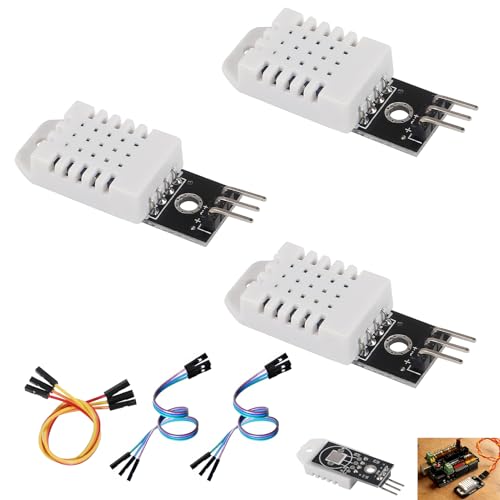
The DHT22 delivers reliable readings, is cheap and works with the usual libraries. The big brother of the DHT11 measures from -40 to +80 °C and 0–100 % relative humidity. It uses a proprietary single-wire protocol – that’s not the same as 1-Wire on the DS18B20, so you can’t mix the two on one line.
Note: the DHT22 delivers a new reading at most once every 2 seconds. If you need faster readings, pick a different sensor.
Raspberry Pi 5: the old Adafruit_DHT library no longer works on the Pi 5, use adafruit-circuitpython-dht instead. Why older GPIO libraries fail on the Pi 5 is explained in our article on RPi.GPIO and the Pi 5, and GPIO with Python compares the current libraries.
SHT31 – when accuracy counts
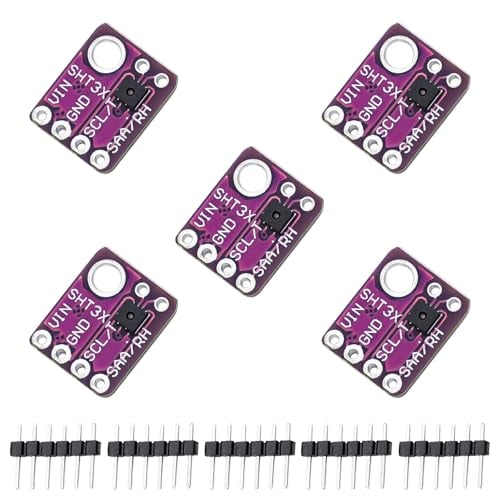
Sensirion’s SHT31 measures temperature to a typical ±0.2 °C (0–90 °C) and humidity to ±2 % and sits on the I2C bus. It costs more than the DHT22 but gives faster, steadier readings – a good fit when tenths of a degree matter.
DS18B20 – waterproof and flexible
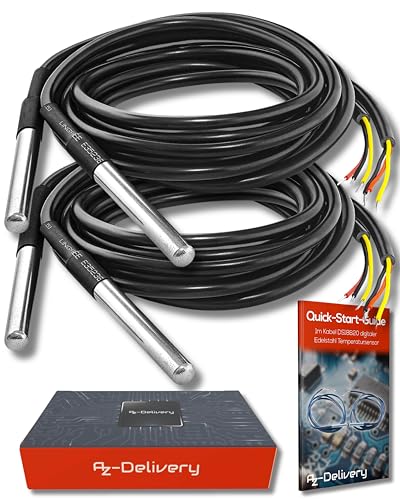
The DS18B20 comes in two versions: as a bare sensor in a small TO-92 package and as a waterproof metal probe. The probe works well in aquariums, for soil temperature or outdoors. The 1-Wire protocol lets you run several sensors on the same line – ideal if you want to measure temperature in different places.
You need a 4.7 kΩ resistor between the data line and 3.3 V (pull-up). Modules on a small board usually have it already, with the bare probe you add it yourself. The data line goes to GPIO 4 by default. Enable 1-Wire with sudo raspi-config under Interface Options → 1-Wire, or add this line to /boot/firmware/config.txt and reboot:
dtoverlay=w1-gpioOur guide temperature recording with the DS18B20 shows how to log the readings over time.
➜ View DS18B20 probe on Amazon*
2. Air pressure, temperature & humidity in one: BME280
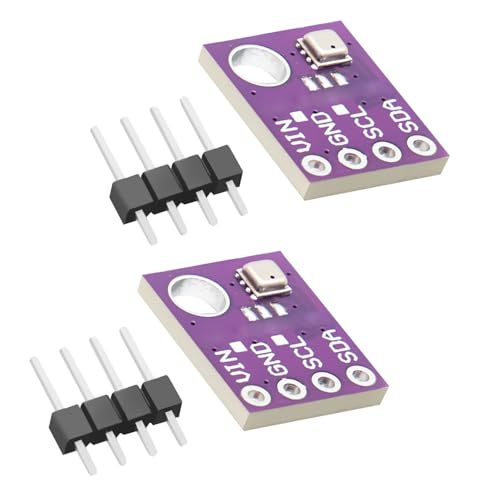
Bosch’s BME280 is a typical sensor for weather stations. It measures temperature, humidity and air pressure at the same time – over I2C or SPI. It isn’t more accurate than the DHT22 for temperature and humidity, but it reads faster, sits conveniently on the I2C bus and adds air pressure. That lets you follow the weather trend and even roughly calculate altitude.
| Measurement | Range | Accuracy |
|---|---|---|
| Temperature | -40 to +85 °C | ±0.5 °C (0–65 °C) |
| Humidity | 0–100 % | ±3 % |
| Air pressure | 300–1100 hPa | ±1 hPa |
Bosch’s BME680 adds a gas sensor for volatile organic compounds (VOC), which gives you a rough idea of indoor air quality. It doesn’t measure temperature or humidity more accurately.
3. Air quality & gas sensors
Air quality sensors keep an eye on indoor air, feed a CO₂ monitor or measure particulate matter.
MQ series – cheap but imprecise
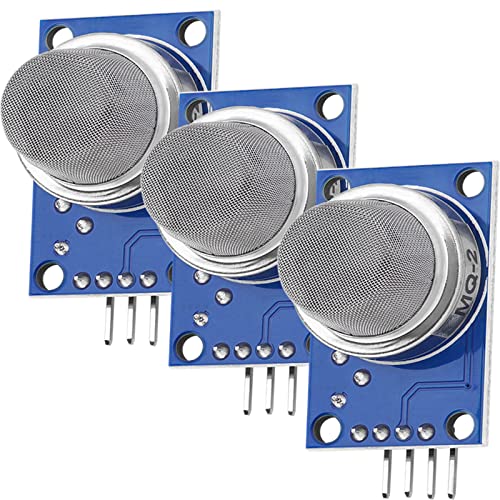
The MQ sensors (MQ-2, MQ-7, MQ-135 and so on) are very cheap metal-oxide gas sensors. They react to various gases but need careful calibration and always measure a mix. They work for alarms (“gas present: yes/no”), not for accurate measurements. The heater inside needs 5 V and draws noticeable current. On the MQ-2, the datasheet values only apply after at least 48 hours of preheating, so let a new sensor run for two days before you calibrate it. After that, it still needs a few minutes after each power-on before the readings settle.
Important: the Raspberry Pi has no analog inputs. Read the analog output through an ADC such as the MCP3008 (see ADC modules below). Because the module runs on 5 V, the analog output can reach 5 V – a voltage divider brings it down to 3.3 V at most. Before you connect the digital output (DO), which only reports “above/below threshold”, check it with a multimeter in both states – turn the potentiometer past the threshold once to switch it. If it reads above 3.3 V in either state, it needs a voltage divider too before it goes to a GPIO pin.
MH-Z19C – the CO₂ sensor for serious use
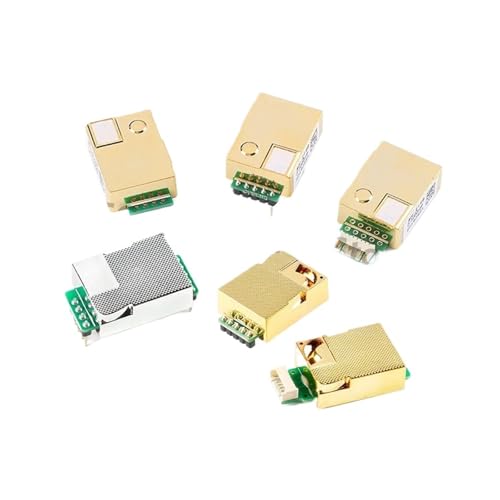
For real CO₂ measurements, use the MH-Z19C. It uses NDIR (non-dispersive infrared) and reports CO₂ in ppm – essential for ventilation control or CO₂ monitors you can rely on. It runs on 5 V, while its UART lines use 3.3 V and connect straight to the Pi. Many older guides still mention the MH-Z19B: Winsen no longer makes it, and the MH-Z19C has the same size and the same outputs (UART and PWM).
| Property | Value |
|---|---|
| Range | 400–5000 ppm CO₂ (2,000 or 10,000 ppm on some versions) |
| Accuracy | ±(50 ppm + 5 % of reading) |
| Interface | UART / PWM |
| Supply | 5 V |
PMS5003 / SDS011 – PM2.5 particulate sensor
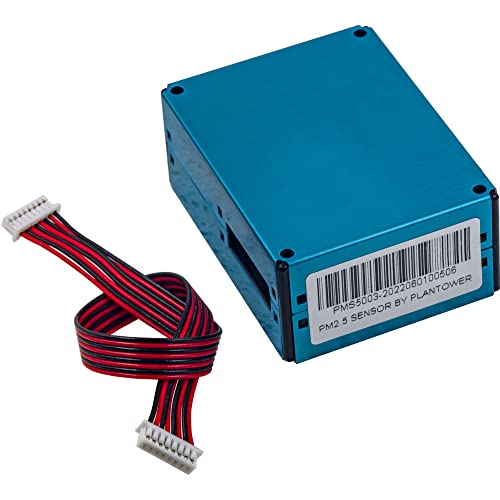
To measure particulate matter (PM2.5 and PM10), go for the PMS5003 (Plantower) or the SDS011 (Nova Fitness). Both use laser scattering to measure the size and number of particles. The PMS5003 is more compact, the SDS011 is larger.
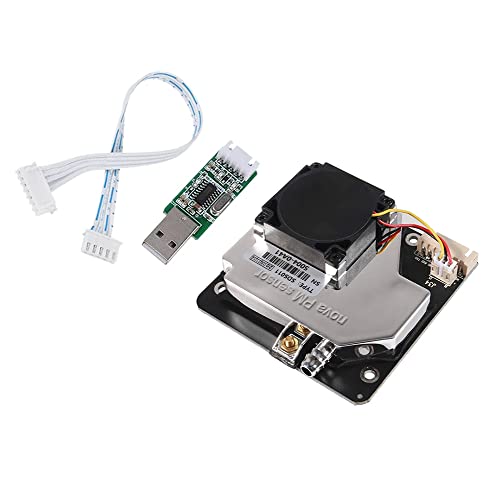
Both connect over UART, and the SDS011 often ships with a USB adapter. These sensors are used, for example, in the Sensor.Community network.
➜ View PMS5003 on Amazon* | View SDS011 on Amazon*
4. Light & brightness
Light sensors enable automatic lighting, twilight switches or color detection. Both sensors in this category sit on the I2C bus, so they’re easy to connect.
BH1750 – the easiest way to measure lux
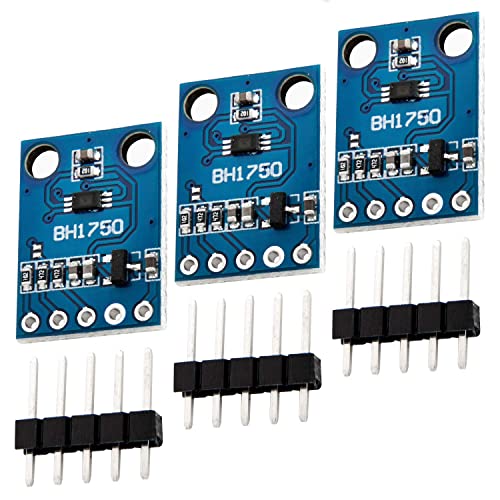
The BH1750 gives you lux values directly, without any calibration on your side, and is extremely easy to connect. Range: 1 to 65,535 lux. For grow lights, automatic blinds or a twilight switch it does the job.
TCS34725 – RGB color detection
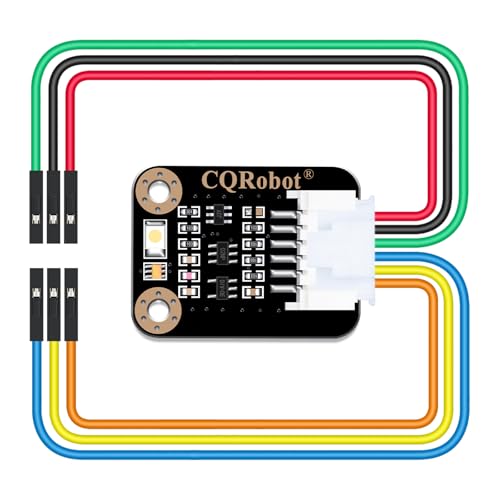
If you want to detect color and not just brightness, you need the TCS34725. It measures the red, green and blue components and also reports overall brightness. Ideal for sorting machines, color calibration or lighting projects.
5. Motion detection & distance measurement
Motion and distance sensors show up in lots of projects – from a simple burglar alarm to robot control.
HC-SR501 PIR sensor – classic motion detection
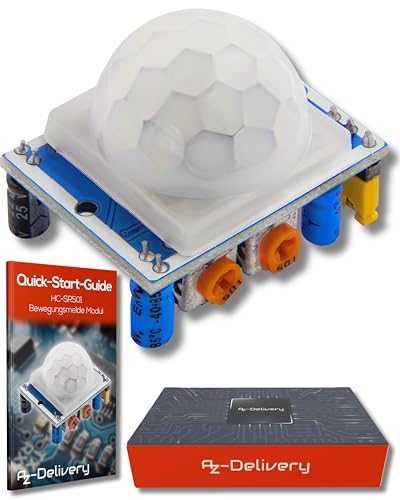
A PIR (passive infrared) sensor detects the heat radiation of moving people and animals. It outputs a simple 3.3 V digital signal (high/low) that goes straight to a GPIO pin. Two potentiometers set sensitivity and hold time. Our guide Raspberry Pi PIR motion sensor walks you through it step by step.
Limitation: PIR sensors need a line of sight. They don’t work through walls or glass.
RCWL-0516 – motion without line of sight
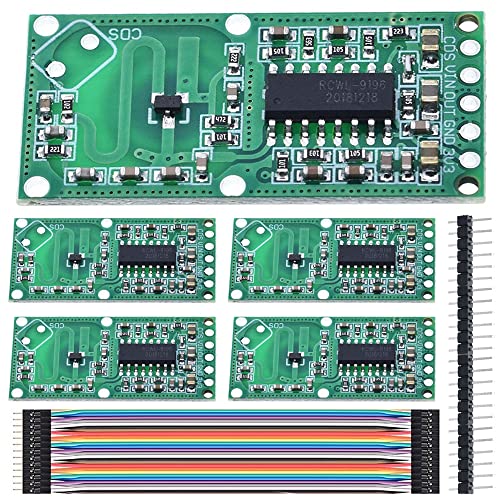
The RCWL-0516 uses microwaves (Doppler radar) instead of infrared. It detects movement through wood, plastic and thin walls – handy for hidden installations. Be aware that it also reacts to pets and moving objects such as curtains in a draught.
HC-SR04 – ultrasonic distance measurement
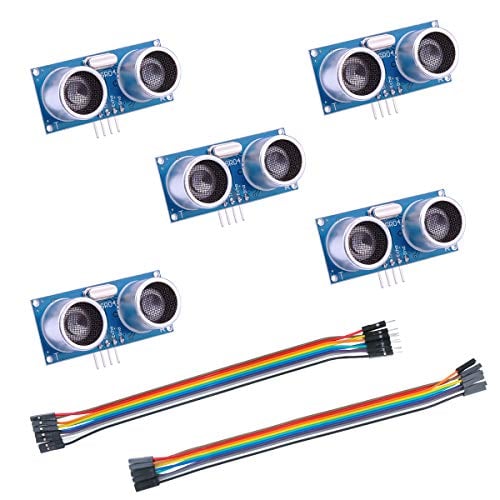
The HC-SR04 is an inexpensive ultrasonic sensor and measures distances from 2 cm to 4 m with about ±3 mm accuracy. It runs on 5 V, and its echo pin then outputs 5 V as well, so put a voltage divider (5 V → 3.3 V) in front of it – the Pi’s GPIO pins only tolerate 3.3 V.
| Sensor | Method | Range | Accuracy | Approx. price |
|---|---|---|---|---|
| HC-SR04* | Ultrasound | 2 cm – 4 m | ±3 mm | €2–3 |
| VL53L0X* | Laser (ToF) | up to about 2 m | ±3 % (up to 1.2 m) | €5–8 |
VL53L0X – laser time-of-flight sensor
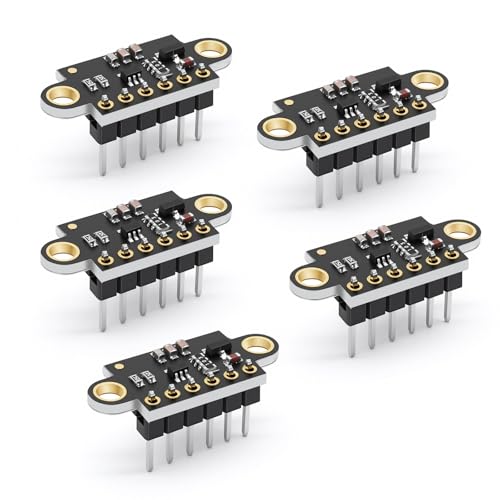
STMicroelectronics’ VL53L0X measures how long an infrared laser pulse takes to return (ToF = time of flight). It sits on the I2C bus, runs on 3.3 V directly at the Pi and is much smaller than the HC-SR04. For robots, obstacle detection or fill-level measurement it’s the more modern choice.
6. Orientation, acceleration & GPS
Orientation sensors detect tilt, rotation and vibration, while a GPS module provides position and accurate time – both typical for robots, vehicles and trackers.
MPU-6050 – gyroscope and accelerometer on one chip
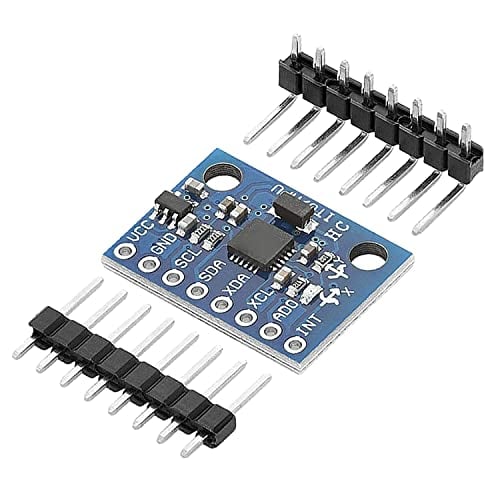
The MPU-6050 combines a 3-axis gyroscope with a 3-axis accelerometer on a cheap module. It sits on the I2C bus. Typical uses: balancing robots, gesture control, vibration alarms.
If you also need the compass heading, pick a 9-axis module with a magnetometer, for example one based on the ICM-20948.
NEO-6M GPS module – position anywhere
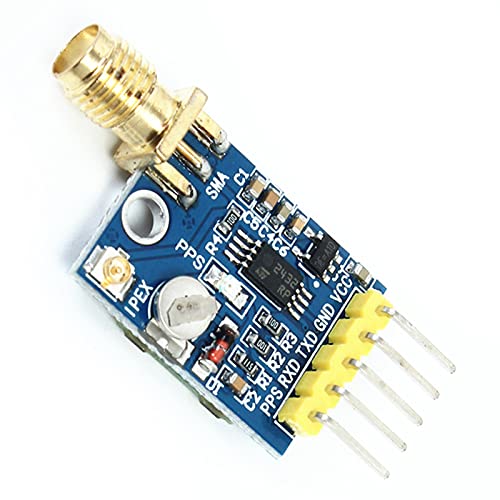
u-blox’s NEO-6M is an inexpensive GPS module. It connects over UART and delivers NMEA data with position, speed and time. Keep in mind that it needs a clear view of the sky (indoors it barely works) and a few minutes for the first fix. Raspberry Pi GPS module shows the setup, and Raspberry Pi GPS tracking is a complete project.
7. Connecting analog sensors: ADC modules
Unlike the Arduino, the Raspberry Pi has no analog inputs. To use analog sensors (potentiometers, MQ gas sensors, photoresistors, joysticks …), you need an external analog-to-digital converter (ADC).
MCP3008 – the SPI classic
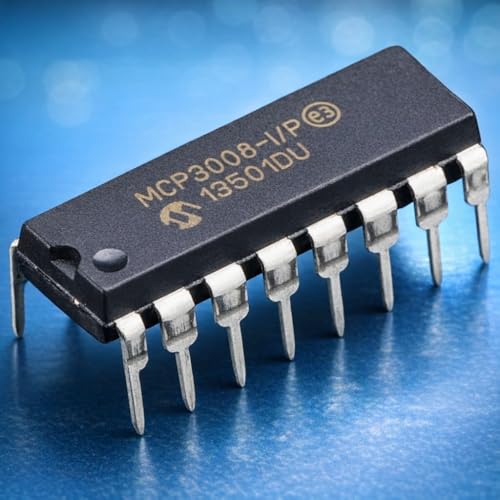
8 channels, 10-bit resolution, SPI interface: the MCP3008 is cheap, well documented and supported directly by gpiozero. 10 bits give you 1024 steps between 0 V and the reference voltage (3.3 V on the Pi).
ADS1115 – more precise over I2C
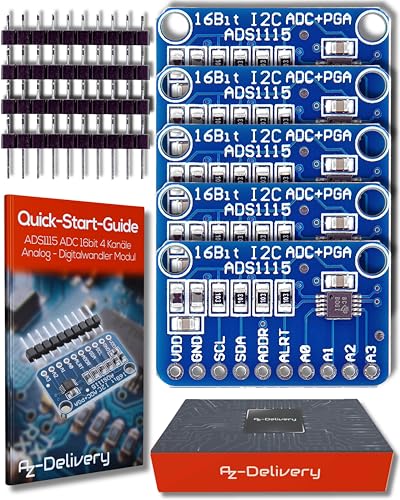
The ADS1115 offers 16-bit resolution over I2C, which makes it much finer than the MCP3008. It also has a programmable gain amplifier (PGA) that suits small voltages, such as load cells or current sensors. It has 4 channels.
8. Measuring current & voltage: INA219
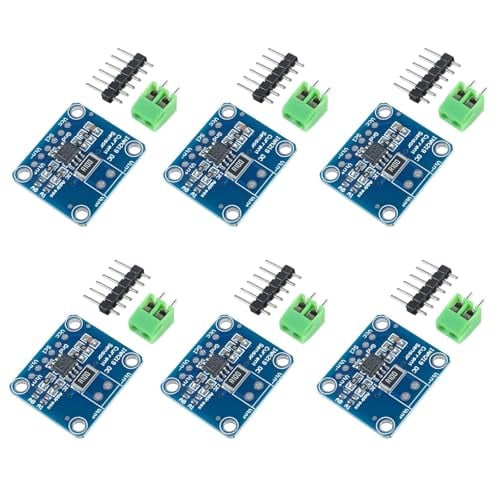
The INA219 measures voltage, current and power at the same time over I2C. You wire its shunt resistor in series with the line whose current you want to measure. Ideal for monitoring batteries, solar setups, motors or power supplies.
| Property | Value |
|---|---|
| Voltage range | 0–26 V |
| Max. current | 3.2 A (with the usual 0.1 Ω shunt) |
| Interface | I2C |
| Addresses | Up to 4 modules at once (on the usual boards) |
9. RFID & NFC: MFRC522
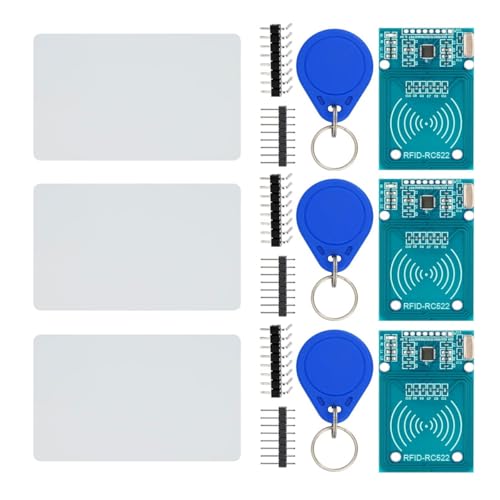
RFID readers are ideal for access control, attendance tracking or simple identification. The MFRC522 module sits on the SPI bus. It reads and writes MIFARE cards and tags at 13.56 MHz. Sets usually include a white card and a key fob.
Raspberry Pi 5: the mfrc522 Python library relies on RPi.GPIO and doesn’t run on the Pi 5. Our guide RFID RC522 on the Raspberry Pi 5 shows how to do it without RPi.GPIO.
➜ View MFRC522 RFID set on Amazon*
10. Displays: which one for what?
Often you want to show readings right on the device – without an extra computer or phone. Two displays are especially good for this:
SSD1306 OLED – small, bright, I2C
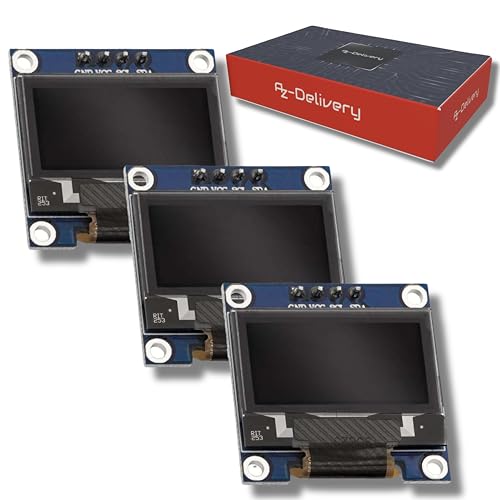
The 0.96-inch OLED display with the SSD1306 controller has 128 × 64 pixels, needs no backlight (the pixels light up themselves), has excellent contrast and connects to the I2C bus with just four wires.
➜ View SSD1306 OLED on Amazon*
16×2 LCD with HD44780 (I2C adapter)
The classic green or blue 16×2 LCD. With the I2C adapter (PCF8574) on the back, the wiring shrinks from 16 to 4 wires. It’s cheaper than an OLED but has less contrast and only shows text. Raspberry Pi LCD display control shows how to drive it.
➜ View 16×2 I2C LCD on Amazon*
11. Motors & actuators
Sensors measure, actuators move something. With any motor, keep in mind that the GPIO pins only provide the control signal – the motor gets its power from a separate source.
SG90 servo motor
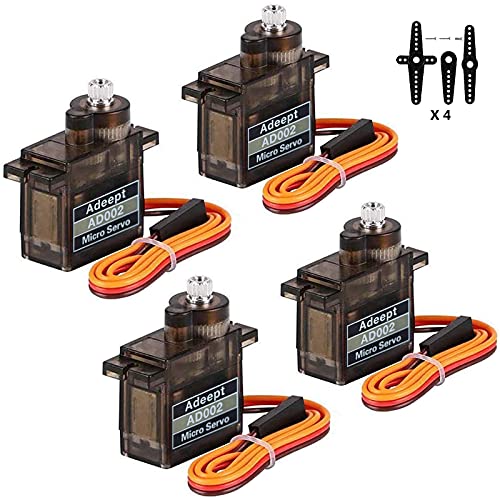
The SG90 is an inexpensive micro servo for hobby projects. It turns between 0 and 180° and is controlled with a PWM signal. The 3.3 V signal from a GPIO pin is enough, but power it from a separate 5 V source. Typical uses: robot arms, camera pan, valve control.
L298N – driving two DC motors
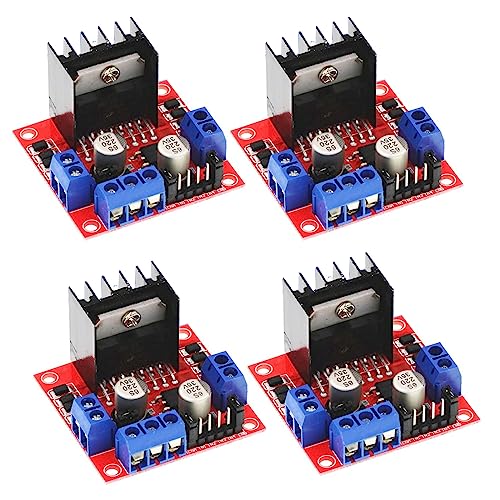
DC motors, for example in small robots, need a motor driver – the GPIO pins deliver far too little current. The L298N drives two motors in both directions and handles up to 2 A per channel. Ideal for simple robot vehicles.
➜ View L298N motor driver on Amazon*
28BYJ-48 stepper motor + ULN2003 driver
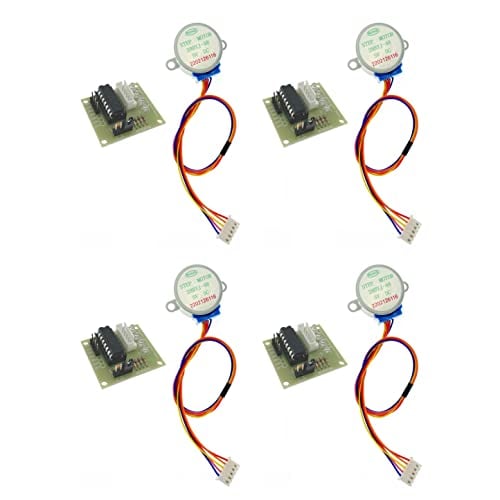
Stepper motors turn in precise steps – without feedback about their actual position. The 28BYJ-48 is a very cheap stepper motor and usually comes as a set with the ULN2003 driver board. Typical uses: pointers, camera tracking, blind control.
➜ View 28BYJ-48 + ULN2003 on Amazon*
12. Radio: NRF24L01+ for wireless communication
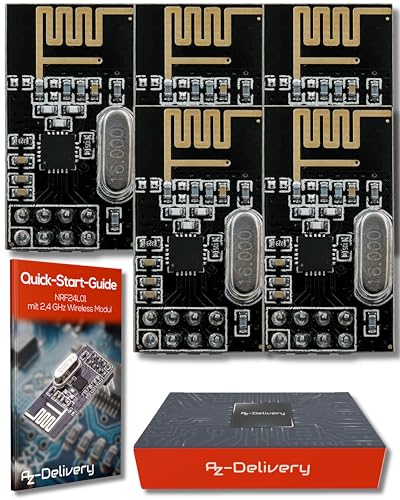
The NRF24L01+ is a 2.4 GHz radio module with 250 kbit/s, 1 Mbit/s or 2 Mbit/s. The lowest data rate gives the longest range. With a clear line of sight, sellers quote up to about 100 m for the PCB antenna version and up to about 1,100 m at 250 kbit/s for the version with an amplifier and external antenna. Indoors, walls and 2.4 GHz Wi-Fi can eat into that advantage. It sits on the SPI bus and suits simple radio networks, for example when sensor nodes should exchange data without Wi-Fi.
Note: the module needs a stable 3.3 V supply. Unreliable operation is often down to a weak power supply – a 100 µF capacitor between VCC and GND helps. For Wi-Fi sensors in a smart home, an ESP32 with ESPHome is often the easier route.
Sensor quick finder: all at a glance
| Sensor/module | Category | Interface | Approx. price | Difficulty |
|---|---|---|---|---|
| DHT22* | Temp. + humidity | GPIO | €3–5 | ⭐ Beginner |
| SHT31* | Temp. + humidity (precise) | I2C | €10–16 | ⭐ Beginner |
| DS18B20* | Temperature | 1-Wire | €2–4 | ⭐ Beginner |
| BME280* | Temp. + humidity + pressure | I2C/SPI | €5–10 | ⭐ Beginner |
| MQ-2* | Gas (alarm) | Analog via ADC | €2–5 | ⭐⭐ Intermediate |
| MH-Z19C* | CO₂ | UART | €35–45 | ⭐⭐ Intermediate |
| PMS5003* | Particulate matter | UART | €20–30 | ⭐⭐ Intermediate |
| SDS011* | Particulate matter | UART/USB | €25–35 | ⭐⭐ Intermediate |
| BH1750* | Light | I2C | €2–5 | ⭐ Beginner |
| TCS34725* | Color | I2C | €5–8 | ⭐⭐ Intermediate |
| HC-SR501 PIR* | Motion | GPIO | €1–3 | ⭐ Beginner |
| RCWL-0516* | Motion (radar) | GPIO | €2–4 | ⭐ Beginner |
| HC-SR04* | Distance | GPIO | €2–3 | ⭐ Beginner |
| VL53L0X* | Distance (laser) | I2C | €5–8 | ⭐⭐ Intermediate |
| MPU-6050* | Orientation + acceleration | I2C | €3–6 | ⭐⭐ Intermediate |
| NEO-6M GPS* | Position | UART | €10–20 | ⭐⭐ Intermediate |
| MCP3008* | ADC (analog) | SPI | €2–5 | ⭐⭐ Intermediate |
| ADS1115* | ADC (precise) | I2C | €3–6 | ⭐⭐ Intermediate |
| INA219* | Current + voltage | I2C | €3–6 | ⭐⭐ Intermediate |
| MFRC522* | RFID | SPI | €3–6 | ⭐⭐ Intermediate |
| SSD1306 OLED* | Display | I2C | €3–8 | ⭐ Beginner |
| 16×2 LCD (I2C)* | Display (text) | I2C | €3–8 | ⭐ Beginner |
| NRF24L01+* | Radio 2.4 GHz | SPI | €3–6 | ⭐⭐ Intermediate |
| SG90 servo* | Actuator | PWM (GPIO) | €2–5 | ⭐ Beginner |
| L298N* | Motor driver | GPIO | €3–6 | ⭐⭐ Intermediate |
| 28BYJ-48 + ULN2003* | Stepper motor | GPIO | €3–6 | ⭐⭐ Intermediate |
Frequently asked questions about Raspberry Pi sensors
To get started, we recommend the DHT22 for temperature and humidity and the HC-SR501 PIR sensor for motion. Both are cheap, well documented and can be read with a few lines of Python.
I2C needs only two data wires, and several devices share the bus – ideal for sensors and small displays. SPI is faster and needs a separate chip select line per device, typical for ADCs, RFID readers and radio modules. UART is a serial link between exactly two devices, for example GPS modules or the MH-Z19C CO₂ sensor.
No. Unlike the Arduino, the Raspberry Pi has no analog inputs. You need an external ADC such as the MCP3008 (SPI) or the ADS1115 (I2C) to measure analog voltages.
Among the affordable sensors, the SHT31 is the most accurate at a typical ±0.2 °C. For most projects, though, the DHT22 (±0.5 °C) or the BME280 (±0.5 °C, but with air pressure) is enough.
Yes, the sensors themselves do. Older Python libraries can fail there, though, if pip pulls in the original RPi.GPIO package with them, as mfrc522 does. For the DHT22, use adafruit-circuitpython-dht, and for the MFRC522 RFID reader, use an approach without RPi.GPIO.
Every device on the I2C bus needs its own address, and a little over 100 are usable. In practice, fixed addresses are the limit: two identical sensors often only work together via an address jumper or an I2C multiplexer such as the TCA9548A.
The Raspberry Pi’s GPIO pins work at 3.3 V and can’t take 5 V. If a sensor outputs 5 V on a data line, such as the echo pin of the HC-SR04, you need a voltage divider or level shifter. The DS18B20 also needs a 4.7 kΩ pull-up between data and 3.3 V, which modules usually have built in.
Conclusion: the most important Raspberry Pi sensors at a glance
For a solid start, a set of DHT22 (temperature), HC-SR501 (motion) and an SSD1306 OLED (display) is enough – inexpensive as a set and covered by plenty of guides online.
For a weather station, the BME280 is a better choice than the DHT22: one sensor for temperature, humidity and air pressure on the I2C bus. If you want air quality as well, add an MH-Z19C for CO₂ and, if needed, a PMS5003 for particulate matter.
For robotics projects, the MPU-6050 (orientation), HC-SR04 (distance) and L298N (motor driver) are the classic trio.
Which sensors do you use in your projects? Let us know in the comments – maybe there’s a sensor we’ve missed!