Home Assistant Green vs. Yellow: The 2026 Comparison
Home Assistant Green vs. Yellow – which of the two official Nabu Casa hubs is right for your smart home? In 2026 the answer has shifted quite a bit: the Yellow went out of production in October 2025 but keeps receiving updates, which makes the Green the only official hub you can still buy new. And yet the Yellow offers a few features the Green doesn’t have to this day.
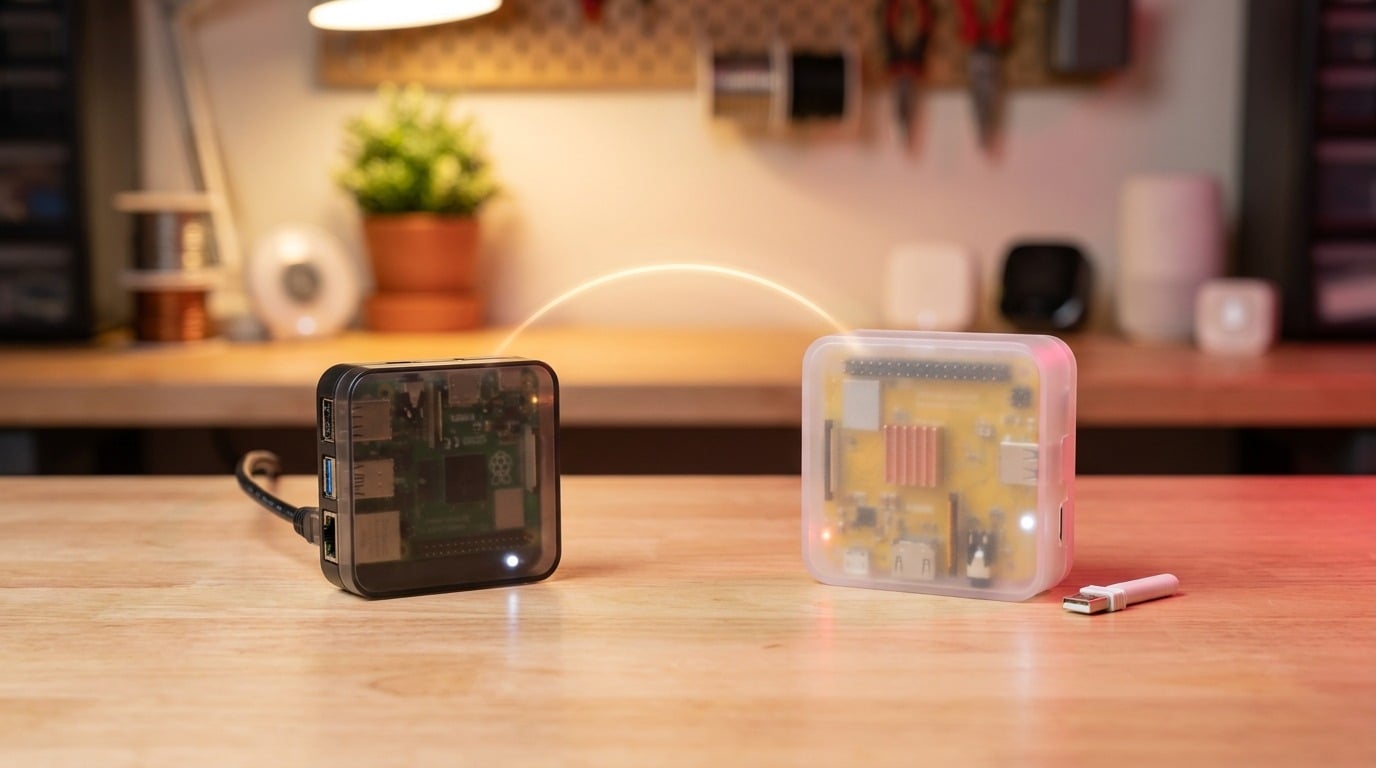
Home Assistant Green (€179, since 2023) and Home Assistant Yellow (2022–2025, discontinued) are the official smart home hubs by Nabu Casa. The Green is a plug-and-play device with a Rockchip RK3566, 4 GB RAM and 32 GB eMMC; the Yellow is an expandable carrier board for the Raspberry Pi Compute Module 4/5 with built-in Zigbee/Thread radio and an NVMe slot.
Key Takeaways
- The Home Assistant Yellow has been out of production since October 15, 2025 – but according to Nabu Casa it will keep receiving software updates, just like the older Home Assistant Blue has since 2022.
- The Green is the only official hub you can buy new in 2026 (MSRP €179 / $199, directly from Seeed Studio* – ships from a German warehouse). Zigbee and Thread can be added via the Connect ZBT-2 (€45).
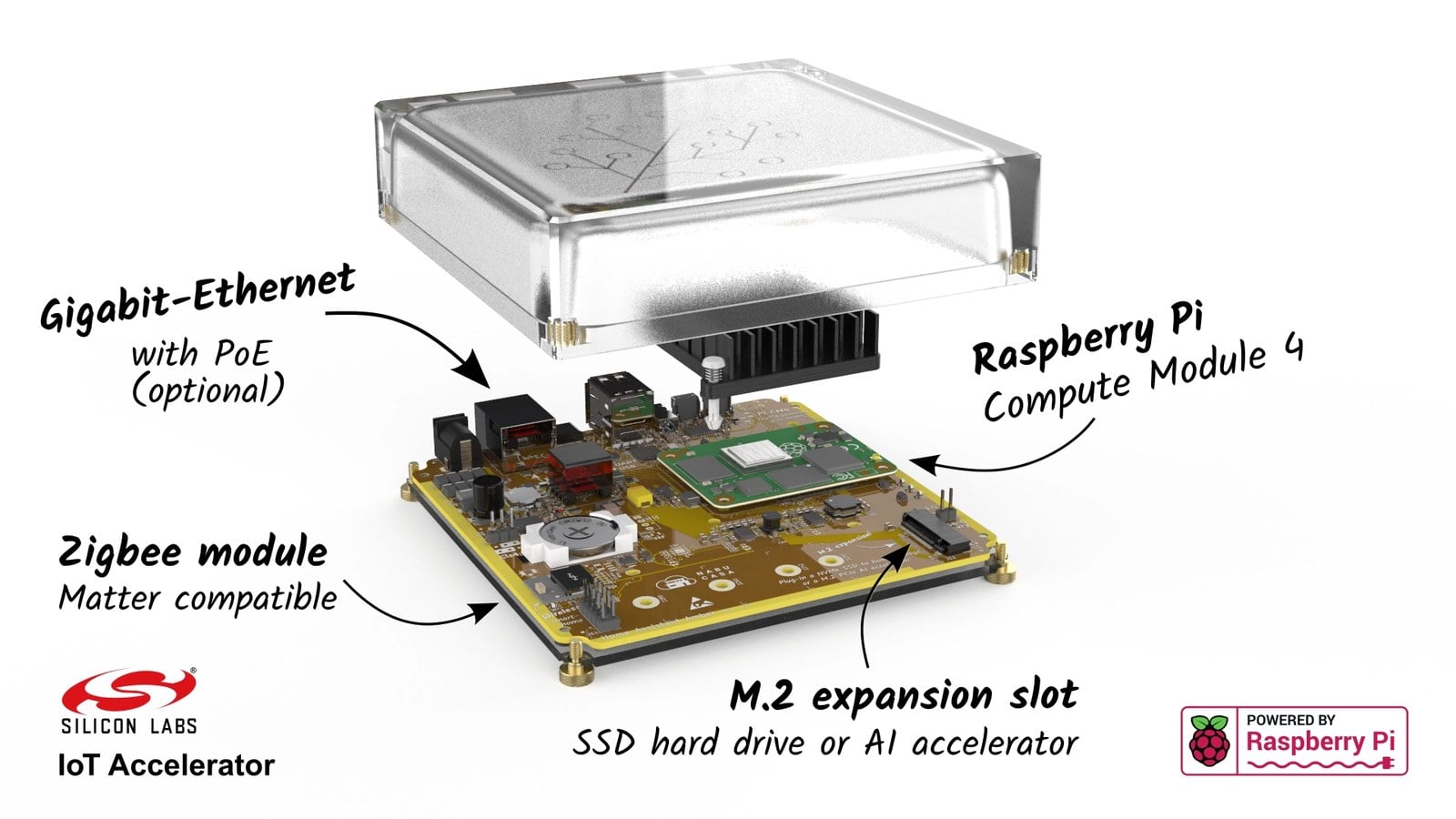
- The Yellow still has three advantages the Green can’t match: an onboard Zigbee/Thread radio, an M.2 slot for NVMe SSDs, and swappable compute power via Compute Module – including a CM5 upgrade.
- For newcomers the Green is the clear recommendation – Yellow kits are practically sold out in Germany and only available as remaining stock or second-hand.
The technical data comes from the official Nabu Casa specs (Green, Yellow) and from Raspberry Pi; we last checked prices and stock on October 23, 2026 at Seeed Studio and Amazon – daily prices may vary. The Yellow has been out of production since October 2025 and was not available to us for testing: this comparison ranks both devices based on manufacturer specs, official documentation and our own experience running Home Assistant on the Raspberry Pi – it is not a hands-on test of both hubs. Not covered: the discontinued Home Assistant Blue and DIY builds beyond the Raspberry Pi and mini PC.
Green and Yellow at a Glance: Status in 2026
Nabu Casa – the company behind Home Assistant – officially ended production of the Yellow on October 15, 2025. Nabu Casa says Yellow sales slowed down, as happens a couple of years into any product’s life. From August 2024, almost a year after the Green launched, the Yellow was only sold as a DIY kit and increasingly became a niche product. The important part for owners: as long as Home Assistant can technically run on the Yellow, there will be new HAOS builds – the older Home Assistant Blue still gets every new release today.
That makes the Green the last remaining official hub. No successor has been officially unveiled yet, but in an interview with The Verge in early October 2026, founder Paulus Schoutsen hinted at an easier-to-set-up successor to the Green for 2027 (no specs or price so far). Instead of a new hub, the only recent additions have been accessories: the ZBT-2 (Zigbee/Thread) and ZWA-2 (Z-Wave) USB dongles and, in November 2026, the Connect AUX-2, a small companion device that streams audio, connects serial devices, acts as a Bluetooth hub and can be powered over PoE. For a full overview of the official hardware ecosystem, check out our Home Assistant hardware comparison.
Specs Compared
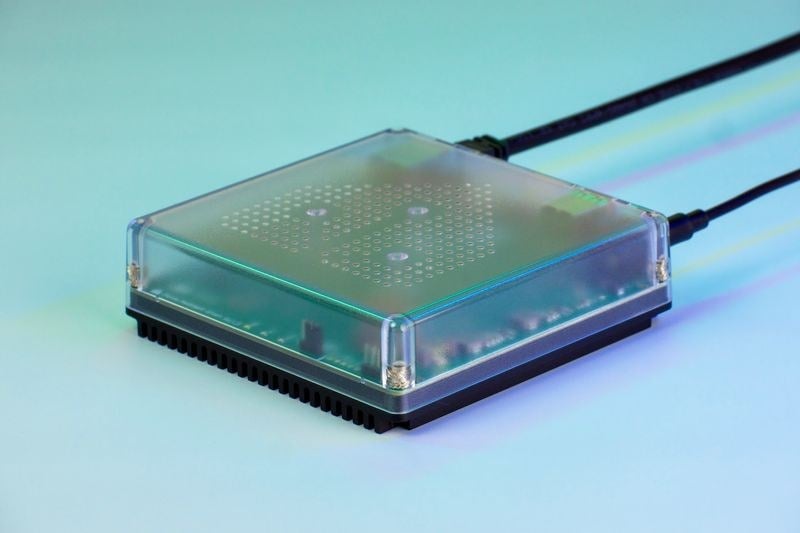
The two devices follow different philosophies: the Green is a sealed appliance, the Yellow a modular building kit.
| Home Assistant Green | Home Assistant Yellow | |
|---|---|---|
| Status | ✅ Available (MSRP €179) | ❌ Production ended (10/2025), updates continue |
| Processor | Rockchip RK3566, 4× Cortex-A55 @ 1.8 GHz | CM4: 4× Cortex-A72 @ 1.5 GHz CM5: 4× Cortex-A76 @ 2.4 GHz |
| RAM | 4 GB LPDDR4X (soldered) | depends on Compute Module (swappable) |
| Storage | 32 GB eMMC (fixed) | Compute Module eMMC + M.2 NVMe SSD |
| Zigbee / Thread | ❌ not built in (add via ZBT-2) | ✅ Silicon Labs MGM210P onboard (Zigbee 3.0, OpenThread, Matter-ready) |
| M.2 slot | ❌ | ✅ NVMe M-Key (2230–2280, PCIe x1) |
| Networking | Gigabit Ethernet | Gigabit Ethernet, optional PoE+ (kit variant) |
| USB | 2× USB 2.0 Type-A | 2× USB 2.0 Type-A + USB-C (debug/recovery) |
| Extras | HDMI (diagnostics only), microSD (recovery only), CR2032 coin cell holder (optional, battery not included) | Audio DAC (3.5 mm), RTC with CR2032, open schematics |
| Power consumption | ~1.7 W idle / ~3 W load | ~1.5 W idle / ~2.5 W with NVMe / 5–9 W load |
| Power supply | 12 V / 1 A (included) | 12 V / 2 A or PoE+ (IEEE 802.3at) |
| Dimensions | 112 × 112 × 32 mm, 340 g | 123 × 123 × 36 mm |
| Setup | Plug and play, HAOS pre-installed | Kit: self-assembly + HAOS installation |
The Differences in Detail
Zigbee, Thread and Matter
The biggest functional difference: the Yellow has a Silicon Labs MGM210P radio module built in that supports Zigbee 3.0, OpenThread and thus Matter-over-Thread. It ships with the Zigbee firmware (EZSP) and can be reflashed to Thread. One radio can only run one protocol at a time – the experimental multiprotocol firmware (Zigbee + Thread in parallel on one chip) is explicitly no longer recommended by Nabu Casa.
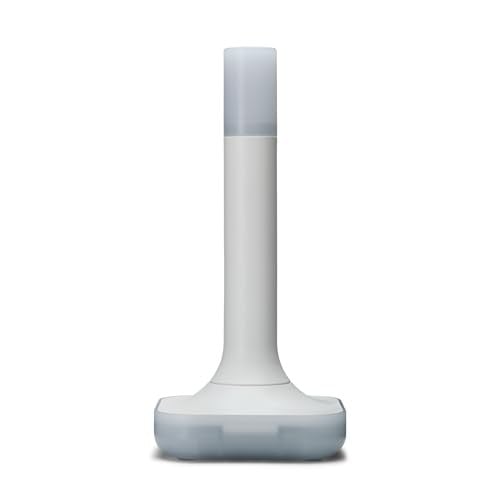
The Green has no radio at all: it lacks Zigbee, Thread and Bluetooth. To add Zigbee or Thread, plug the official Home Assistant Connect ZBT-2 (€45 MSRP) into one of its two USB ports. The dongle is based on the newer Silicon Labs MG24, talks to Home Assistant at four times the baud rate of the old ZBT-1 (460,800 vs. 115,200 baud) and comes with an external antenna. You can put the dongle wherever reception is best, while the Yellow’s radio is built into its case. The same rule applies though: Zigbee or Thread, not both at once. As a budget option for plain Zigbee, the proven SONOFF ZBDongle-E* works fine, and if you want the flexibility to switch between Zigbee and Thread, the SONOFF MG24 dongle* uses the same chip as the ZBT-2.
Bottom line: the Yellow’s onboard-Zigbee argument is weaker in 2026 than it used to be – a USB dongle largely makes up for the Green’s missing radio, though it does take up one of its two USB ports. Our guide to setting up Zigbee2MQTT with Home Assistant shows how to integrate your Zigbee devices afterwards.
Expandability: RAM, eMMC and NVMe SSD
The Green’s 4 GB RAM and 32 GB eMMC are soldered – plenty for a typical Home Assistant installation with apps (formerly add-ons), but there is no upgrade path. If you run a large database (e.g. long sensor history with InfluxDB), Frigate camera recordings or lots of apps, you will hit the limits.
The Yellow, on the other hand, is a carrier board: RAM and eMMC are determined by the Raspberry Pi Compute Module you plug in, which you can swap for a faster one at any time. On top of that there’s the M.2 slot for NVMe SSDs (2230 to 2280, PCIe x1) – which lets you add terabytes of storage. The only known limitation: a Google Coral AI accelerator does not work in the M.2 slot.
Performance: RK3566 vs. Compute Module 4/5
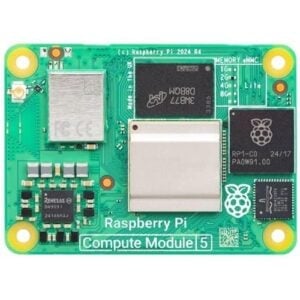
The Rockchip RK3566 in the Green (4× Cortex-A55, 1.8 GHz) and the CM4 in the classic Yellow (4× Cortex-A72, 1.5 GHz) are both fast enough for automations, dashboards and a dozen apps. Since Home Assistant OS 14, the Yellow also officially supports the Raspberry Pi CM5* (4× Cortex-A76, 2.4 GHz) – so an upgraded Yellow is faster than both the Green and a CM4-based Yellow. The CM5’s Cortex-A76 not only clocks higher, it also does considerably more work per cycle than the CM4’s A72 – compute-heavy jobs such as ESPHome compilations and local voice processing (Assist) benefit noticeably.
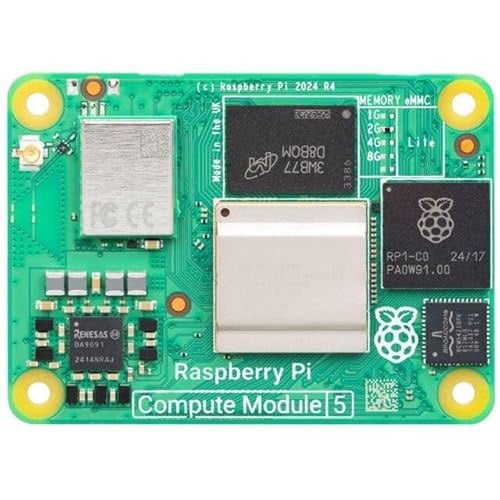
There are two pitfalls when installing a CM5: it cannot boot from USB 2.0 devices (the initial installation is done via rpiboot on your PC), and to screw the module down, only use the screws from the bag labelled “CM5”. If your box didn’t come with that bag, seat the module without screws, as other screws can damage it. Details are in the official CM5 guide.
Power and Consumption
Both hubs are extremely frugal: Nabu Casa quotes ~1.7 W idle for the Green and ~1.5 W for the Yellow (~2.5 W with an NVMe SSD) – less than €10 in electricity per year. Still, the Yellow has one feature no other official hub offers: the PoE kit variant is powered directly through the network cable (PoE+, IEEE 802.3at). In a server rack or anywhere without a power outlet, that saves you a power supply. The Green always needs its 12 V power brick.
Setup and Day-to-Day Use
The Green needs no installation: plug in network and power, open homeassistant.local in your browser, done – Home Assistant OS comes pre-installed. If the page doesn’t load, try homeassistant.local:8123: since Home Assistant 2026.8, new HAOS installations run without a port number, while existing installations keep their port. The Yellow was only sold as a kit in the end: insert the Compute Module, mount the heat sink, assemble the enclosure and install HAOS yourself. Not rocket science, but still a DIY project – if that sounds like fun, you’ll probably enjoy our guide on installing Home Assistant on the Raspberry Pi anyway.
Prices and Availability (as of October 2026)
| Product | Price | Availability |
|---|---|---|
| Home Assistant Green | €179 / $199 (MSRP) | ✅ regularly available – e.g. directly from Seeed Studio* (official manufacturer, ships from Germany) |
| Connect ZBT-2 (Zigbee/Thread for the Green) | €45 / $49 (MSRP) | ✅ available – official listing* |
| Yellow Kit (without Compute Module) | last sold at ~€135 | ❌ discontinued (EOL), sold out at Seeed Studio as well |
| Yellow PoE Kit (without Compute Module) | last sold at ~€153 | ❌ sold out in Germany |
| Raspberry Pi CM5 (2 GB / 32 GB, for the Yellow upgrade) | varies by retailer | ⚠️ check stock with the retailer |
The Yellow was never the bargain it was often made out to be: kit (€135) plus Compute Module (€80–110) plus an optional NVMe SSD always added up to more than the Green’s all-in price. The premium bought expandability, not savings.
Which Hub Is Right for You?
| You want to… | Recommendation |
|---|---|
| Get started without any tinkering | Green* – plug in and go |
| Connect Zigbee/Thread devices | Green + ZBT-2 (~€224 combined) |
| Run a large database, Frigate, many apps | Yellow with NVMe (if you can still find one) – or Pi 5 / mini PC |
| Power it via PoE in your network rack | Yellow PoE kit – unmatched among official hubs, but sold out |
| Get more performance from official hardware | Yellow + CM5 |
| Keep flexibility for other projects | Raspberry Pi 5 instead of a hub – see alternatives |
Buy the Green and Accessories
Our pick straight from the manufacturer (ships from Germany, 5 % off with the code 2DXNMOFB) – plus the building blocks from this comparison. Prices in the boxes are shown in US dollars.
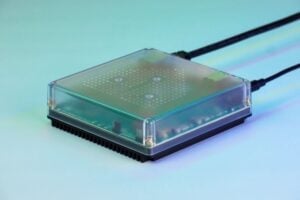
Check the retailer for current prices and stock. The Connect ZBT-2 (€45 MSRP) is also available from retailers*.
Yellow Owners: Keep It or Switch?
Simple answer: keep it. The end of production changes nothing about software support, and your Yellow can do things no official hub you can buy today offers. Instead of switching, you can even upgrade it:
- CM5 upgrade: A Compute Module 5* gives the Yellow more processing power – migration via rpiboot, see the guide linked above.
- Add an NVMe SSD: The M.2 slot gives you more (and more reliable) storage for your database and recordings.
- Keep using the internal radio: The MGM210P remains a fully capable Zigbee coordinator – switching to a USB dongle only makes sense if you have reception problems, since you can position the ZBT-2 freely.
Alternatives: Raspberry Pi 5 or N100 Mini PC?
Home Assistant also runs on a Raspberry Pi 5 – and, for bigger setups, on an Intel N100 mini PC. Both offer exactly the flexibility that disappears from the market with the Yellow:
| Green | Raspberry Pi 5 | N100 Mini PC | |
|---|---|---|---|
| Setup | plug and play | flash HAOS yourself | install HAOS yourself |
| Expandability | none | NVMe SSD via HAT, GPIO, Wi-Fi | RAM & SSD upgradable |
| Performance | 4× Cortex-A55, 1.8 GHz – fine for standard setups | 4× Cortex-A76, 2.4 GHz | 4 x86 cores up to 3.4 GHz – also handles Frigate, VMs, local AI |
| Ideal for | beginners | tinkerers & Pi fans | power users |
For the details: our complete guide to installing Home Assistant on the Raspberry Pi covers everything from flashing to your first dashboard, and our direct comparison Raspberry Pi 5 or N100 mini PC for Home Assistant settles which base is right for whom – including real power consumption measurements.
Frequently Asked Questions (FAQ)
Yes. On October 15, 2025 Nabu Casa only ended production – Home Assistant OS will keep being built for the Yellow as long as it is technically possible. As a precedent, the Home Assistant Blue still receives every new release today.
Not out of the box – the Green has no built-in radio. With the Home Assistant Connect ZBT-2 USB dongle (€45 MSRP) you add Zigbee 3.0 or Thread/Matter.
Yes, the CM5 has been officially supported since Home Assistant OS 14. Two things to keep in mind: the initial installation is done via rpiboot on a PC (the CM5 cannot boot from USB 2.0 devices), and use only the screws from the bag labelled “CM5” to fasten it. If that bag is missing, don’t screw the module down at all, as other screws can damage it. With a CM5, the Yellow is faster than the Green.
Not on the same radio. Both the Yellow’s internal MGM210P and the ZBT-2 run one protocol at a time – the multiprotocol firmware is experimental and no longer recommended by Nabu Casa. If you need both in parallel, use two radios, e.g. the Yellow’s internal Zigbee plus a Thread dongle in a USB port.
Yes – if the price is right (well below the Green) and you’ll actually use its advantages: the M.2 slot, onboard Zigbee or the PoE variant. Updates keep coming, and you can even upgrade it with a CM5. If you just want a hassle-free hub, the new Green with warranty is the better buy.
Conclusion: Buy the Green, Keep the Yellow
The Home Assistant Green vs. Yellow comparison has a clear winner for new buyers in 2026: the Green*. It’s regularly available, needs no installation and – together with the ZBT-2 dongle – covers practically every smart home scenario. The Yellow remains the more interesting piece of hardware – NVMe slot, PoE option, swappable Compute Module up to the CM5 – but a device you can no longer buy new isn’t a recommendation anymore. If you own one, there’s no reason to switch; if you’re after the Yellow’s flexibility, a Raspberry Pi 5 or a mini PC is the better home for your smart home.
Further Reading
- Home Assistant Hardware Comparison 2026: Green, Blue & Yellow vs. Raspberry Pi
- Home Assistant Hardware 2026: Raspberry Pi 5 or N100 Mini PC?
- Installing Home Assistant on the Raspberry Pi – Complete Guide
- Setting up Zigbee2MQTT with Home Assistant