How to Make a Light Switch Smart: Module, Insert or New Switch?
You can make a light switch smart in three ways: add a small module behind the switch you already have, swap just the switch insert for a smart one that fits your existing frame and rocker, or replace the whole switch. The right choice depends less on the wireless standard than on two questions about your wall: how much of the old switch do you want to keep, and is there a neutral wire in the wall box? We run all three side by side in our house, some of them for many years now.
In short
A module behind the existing switch is usually enough. If you want to keep the frames and rockers of your designer switch range and get proper smart push buttons, go for a smart insert that fits it.
- With a neutral wire: Shelly 1 Mini Gen4*
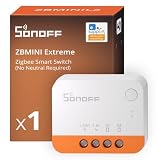
- Without a neutral wire: SONOFF ZBMINI-L2*
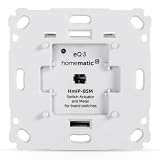
- Push buttons in your range (needs a neutral): Homematic IP HmIP-BSM*
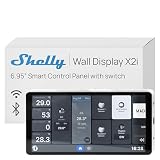
- New switch with a display: Shelly Wall Display X2i*
The three options at a glance
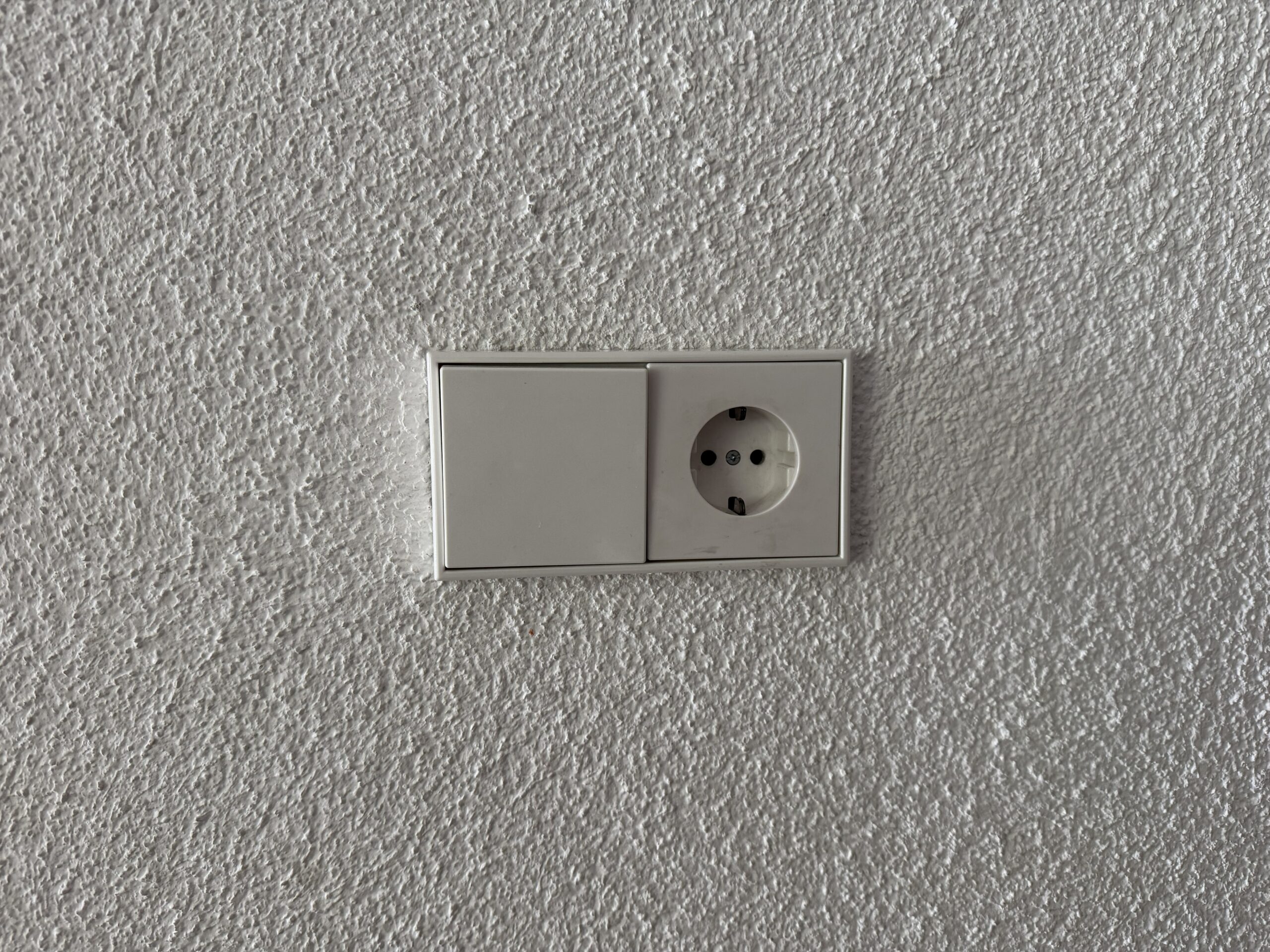
A European flush-mounted light switch has three parts: the insert with the actual switching mechanism, which sits in a box set into the wall (the wall box), the rocker you press, and the frame around it. Manufacturers such as Gira, Jung and Busch-Jaeger sell frames and rockers as switch ranges, also called designer switches. Homematic IP markets its matching actuators as being “for brand switches”. You can usually find the manufacturer’s name on the back of the rocker or on the insert once the rocker is pulled off. All three options let you control the light from an app, by voice and through automations. Options 1 and 2 look the same on the wall; the difference is inside the box. With option 1, the old switch stays and a module is added. With option 2, a smart insert replaces the old one.
| Option 1: module behind the switch | Option 2: smart insert for your designer switch range | Option 3: full replacement | |
|---|---|---|---|
| What stays on the wall | everything: insert, rocker, frame | frame and rocker of your range, the old insert is removed | nothing, a new switch goes in |
| Neutral wire | depends on the model, some work without | required for the devices listed here | depends on the model |
| Advantage | no visible change, any existing switch keeps working | smart push buttons in the design of your own range | display, scene buttons, status info |
| Hub required | not for Wi-Fi, otherwise a gateway or bridge | yes (Homematic IP Access Point or CCU3, Bosch Controller or Zigbee2MQTT) | not for Wi-Fi; a gateway for Zigbee, a border router for Thread |
| Examples | Shelly 1 Mini Gen4, Shelly 1 Gen4, Shelly 1L/2L Gen4, SONOFF ZBMINI-L2, Aqara T1, ubisys S1, Homematic IP HmIP-FSM, Hue wall switch module | Homematic IP HmIP-BSM, Bosch Light/Shutter Control II | Shelly Wall Display X2i, Aqara H1 and H2 |
| What we use | Shelly 1 Mini Gen3, Shelly Plus 2PM, Homematic HM-LC-Sw1-FM | Homematic HM-LC-Sw1PBU-FM and HM-LC-Bl1PBU-FM with Jung LS | Shelly Wall Display X2i |
Whether you switch the light from an app, Alexa, Google Home or Apple Home depends on the system behind the device. Matter is a shared standard that lets a device show up in all the major smart home apps, even if the manufacturer has no direct integration there. For that you need a Matter controller: a HomePod or Apple TV for Apple Home, a suitable Echo device for Alexa.
| System | Manufacturer app | Alexa / Google Home | Apple Home | Home Assistant |
|---|---|---|---|---|
| Shelly (Wi-Fi) | Shelly Smart Control | yes | via Matter (Gen3 and Gen4) | yes, local |
| Zigbee (SONOFF, Aqara, ubisys) | the gateway’s app, e.g. eWeLink or Aqara Home | via the gateway | via a gateway that supports Apple Home or Matter | yes, local |
| Homematic IP | Homematic IP (with Access Point) | yes, with Access Point via the cloud | no | yes |
| Bosch Smart Home | Bosch Smart Home (with Controller II) | yes | yes, via the Controller II | yes |
| Philips Hue | Hue (with Bridge) | yes | yes, via the Bridge | yes, local |
Safety first: All three options mean working inside the wall box, which is part of your mains wiring. Leave the actual installation to a qualified electrician. Our linked guides show the wiring, so you know what the electrician is doing, and how to set up the device afterwards. You can do the groundwork yourself: pick the device, look up the wiring diagram in the manufacturer’s manual and have the electrician check whether there is a neutral wire in the box.
With or without a neutral wire: the key question
A conventional light switch only interrupts the live wire (L). That is why many wall boxes contain just two wires: the live wire and the switched wire going to the lamp. In those boxes there is no neutral wire (N, blue in most newer European installations), especially in older homes.
A smart device, however, needs power for its radio even when the light is off. With a neutral wire, that is no problem. Without one, the device draws a small current through the lamp. That has limits: these devices need a minimum load, 3 W in the case of the SONOFF ZBMINI-L2, and low-power LED bulbs may glow faintly when switched off. If you have the choice, go for a device that uses a neutral wire. You can only be sure once you have looked inside the wall box, so have an electrician check before you order. If you can’t find out, choose a device that works without a neutral wire.
- Box depth: A module behind the switch shares the box with the switch insert and the wires. Shallow wall boxes get cramped, deep ones solve the problem.
- Switch or push button: Most modules handle both; you just change the input type in the app. A push button is more convenient because it is never “the wrong way round” after you have switched the light from the app.
- Two-way and intermediate switching (three-way and four-way in the US): If the light is switched from two places, the wiring changes. Many modules support this, but you need a separate wiring diagram from the manufacturer’s manual.
- Wi-Fi or Zigbee: Wi-Fi devices such as Shelly don’t need a hub. Zigbee needs a gateway, but it pays off if you already have one or use Home Assistant, because Zigbee devices don’t add load to your Wi-Fi.
- Dimming: This article is about switching. Dimming needs dedicated dimmer modules, which we don’t cover here.
Which option suits you?
- Nothing should change on the wall, neutral wire available: Shelly 1 Mini Gen4 or Shelly 1 Gen4 (option 1).
- Nothing should change on the wall, no neutral wire: SONOFF ZBMINI-L2 with a Zigbee gateway, or Shelly 1L Gen4 on Wi-Fi (option 1).
- You use Apple Home or Alexa and don’t want an extra manufacturer hub: Shelly Gen4 (or a Gen3 you already have) via Matter, with a HomePod, Apple TV or Echo as the Matter controller (option 1).
- You want push buttons instead of your old switches, but there is no neutral wire in the box: The smart inserts for designer switch ranges covered here all need a neutral wire. Go for option 1 with a no-neutral module instead, and have the old switch insert replaced with a regular push-button insert from your range. The frames and rockers stay, and you still get push buttons.
- You want push buttons that match your range, and a neutral wire is available: Homematic IP actuators for designer switch ranges or Bosch Smart Home with Zigbee (option 2).
- The switch should do more than switch: Shelly Wall Display X2i with its screen, or Aqara H2 with Thread and Matter (option 3).
- You have Hue bulbs: Hue wall switch module behind your existing switch (option 1).
- Roller shutters: Shelly 2PM Gen4 behind the switch or the Homematic IP HmIP-BROLL in your designer switch range (see the roller shutter section).
Option 1: an in-wall module behind your existing switch
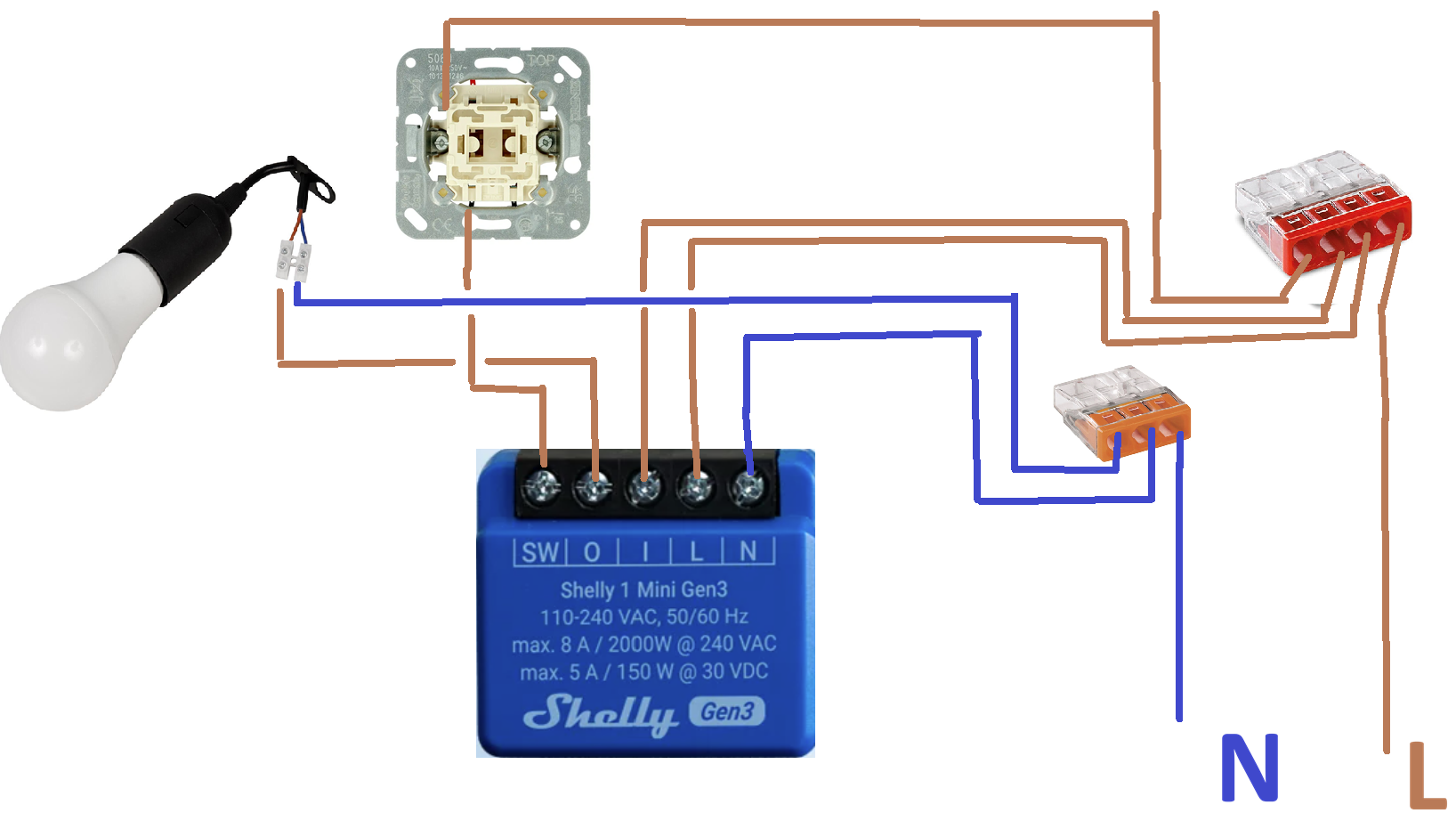
The module sits in the wall box behind the switch. The switch is no longer wired straight to the lamp but to the module’s input. The module switches the lamp and also responds to the app, voice commands and automations. The one exception is the Hue wall switch module further down, which only controls Hue bulbs wirelessly. This option also works if your switch range is no longer sold.
The option 1 modules compared (manufacturer specs):
| Module | Neutral wire | Wireless | Hub | Max. load |
|---|---|---|---|---|
| Shelly 1 Mini Gen4 | yes | Wi-Fi/Matter or Zigbee | none (Zigbee: a gateway) | 8 A |
| Shelly 1 Gen4 | yes | Wi-Fi/Matter or Zigbee | none (Zigbee: a gateway) | 16 A |
| Shelly 1L Gen4 | no, bypass included | Wi-Fi/Matter or Zigbee | none (Zigbee: a gateway) | 200 W |
| Shelly 2L Gen4 | no, bypass included | Wi-Fi/Matter or Zigbee | none (Zigbee: a gateway) | 200 W + 700 W |
| SONOFF ZBMINI-L2 | no, 3 W minimum load | Zigbee | Zigbee gateway | 6 A |
| Aqara T1 with neutral | yes | Zigbee | Zigbee gateway | 10 A |
| ubisys S1 | yes | Zigbee | Zigbee gateway | 16 A |
| Homematic IP HmIP-FSM | yes | Homematic IP | Access Point 2 or CCU3 | 5 A |
| Hue wall switch module (battery) | no, battery | Zigbee | Hue Bridge | does not switch power |
Wi-Fi and Zigbee: Shelly
Shelly modules connect straight to your Wi-Fi. In our living room, a Shelly 1 Mini Gen3 switches the light. It is particularly small, so it fits even into cramped boxes, but it does need a neutral wire. Our Shelly 1 Mini Gen3 guide shows how it is wired and set up. The Gen3 is currently out of stock on Amazon. Its successor, the Shelly 1 Mini Gen4*, is wired the same way, also needs a neutral wire and can additionally be switched over to Zigbee.
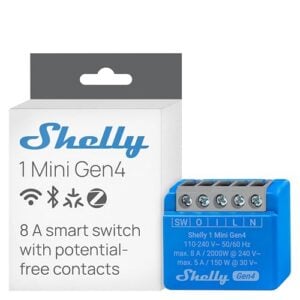
The current generation is called Gen4. The Shelly 1 Gen4* switches up to 16 A, and the Shelly 1PM Gen4* also measures power consumption. Both need a neutral wire. Besides Wi-Fi, the Gen4 modules also speak Matter and Zigbee: Matter is active out of the box, and a button sequence switches them over to Zigbee (see the Shelly documentation). That way they also fit into an existing Zigbee network.
For boxes without a neutral wire, Shelly offers two Gen4 modules: the Shelly 1L Gen4 with one channel and the Shelly 2L Gen4* with two channels, for example for a double switch that controls two lights separately. Like all no-neutral modules, they draw their power through the lamp. To stop LED bulbs from glowing or flickering, a small bypass is wired in parallel with the lamp. Shelly includes one in the box. On the 2L Gen4, only the light on the first channel needs the bypass; according to the datasheet, the second channel works without it and also handles fluorescent lights and fans. The 1L Gen4 handles up to 200 W; the 2L Gen4 handles 200 W on the first channel and 700 W on the second. These two can also be switched over to Zigbee, and according to the datasheet they also work as Zigbee repeaters.
How to control it: You set the module up in the Shelly app. Home Assistant discovers Shelly modules on its own and controls them locally, without going through the cloud. Which Shelly does what is covered in our guide to Shelly in Home Assistant.
Zigbee in-wall modules: SONOFF, Aqara, ubisys
Zigbee modules need a gateway, a central radio hub for Zigbee. Modules with a neutral wire usually also act as routers and extend the Zigbee network, while modules without one usually don’t. The Shelly 1L and 2L Gen4 are an exception. Our guide to Zigbee gateways and sticks helps you pick the right gateway.
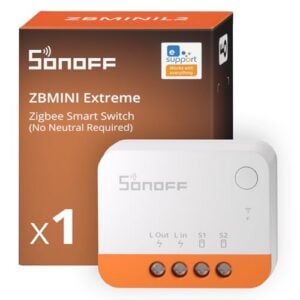
- SONOFF ZBMINI-L2*: a very small module that works without a neutral wire, for boxes that only contain the live wire and the lamp wire. It is meant for lights, not for heavy loads.
- Aqara Single Switch Module T1 (with neutral)*: also available as a version without a neutral wire. In the Aqara app it needs an Aqara hub; with Home Assistant it also runs on other Zigbee gateways.
- ubisys S1*: a switch actuator from the Düsseldorf-based manufacturer ubisys, needs a neutral wire and costs considerably more than the other modules. The ubisys S1 and S2 actuators are certified as “Works with Home Assistant”.
How to control it: Through the gateway’s app, for example eWeLink for SONOFF or the Aqara Home app for Aqara. For Apple Home you need a gateway with Apple Home or Matter support, such as the Aqara Hub M100*. In Home Assistant, all the modules listed here run locally via the built-in Zigbee integration ZHA or via Zigbee2MQTT.
Homematic IP: flush-mounted switch actuator
The Homematic IP module that goes behind the switch is the flush-mounted switch actuator (HmIP-FSM)*. It needs a neutral wire and a Homematic IP hub. With the Access Point 2* you control it through the Homematic IP app and the cloud, which is also how Alexa and Google Home connect. The CCU3*, on the other hand, works locally without the cloud. Our guide to Homematic IP in Home Assistant shows how to bring it into Home Assistant.
We still use actuators from the previous generation for this: classic Homematic HM-LC-Sw1-FM modules that switch the basement ventilation and the patio lights. Classic Homematic devices use a different radio protocol than Homematic IP and need a CCU3; they don’t work with the Access Point 2.

Use your existing light switch with Philips Hue: the Hue wall switch module
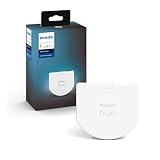
The Philips Hue wall switch module* sits in the wall box behind your existing switch, runs on a battery and doesn’t need a neutral wire. It doesn’t switch power, though. The lamp stays powered permanently, so it has to be a smart Hue bulb, and you also need a Hue Bridge. Your existing switch is connected to the module and then controls the Hue bulb wirelessly, without cutting its power.
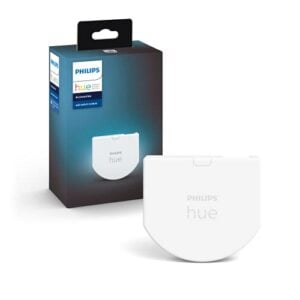
There is also a wired Hue wall switch module* without a battery, which needs a neutral wire.
Option 2: a smart insert for your designer switch range, frames and rockers stay
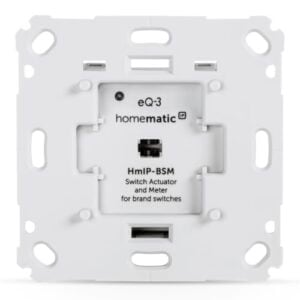
Here the old switch insert comes out and a smart one goes in. The frame and rocker of your range stay. Compared with option 1, the push button here is part of the smart device itself instead of an old insert that reports to a separate module. With Homematic IP, the actuator is the push button itself, a single device in the box. With Bosch, the smart insert consists of two parts, the actuator and the push button, and both go into the box.
Homematic IP: actuators for designer switch ranges
For lights, use the Homematic IP switch actuator for brand switches (HmIP-BSM)*, for roller shutters the Homematic IP shutter actuator for brand switches (HmIP-BROLL)*. Both need a neutral wire and the same hub as above, either the Access Point 2 or the CCU3. To make your range’s rocker fit, eQ-3, the company behind Homematic, offers adapters for the switch ranges of various manufacturers. The eQ-3 adapter overview (PDF, German) lists which adapter matches your range.
Our Jung LS frames and rockers sit on classic Homematic actuators of the previous generation: two HM-LC-Sw1PBU-FM for the lights in the kitchen and on the patio, and five HM-LC-Bl1PBU-FM for the roller shutters. They have been running for years; only one has failed in that time and was replaced.
Zigbee: Bosch Smart Home
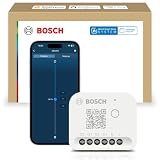
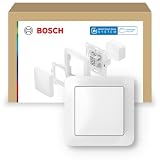
With Bosch, two parts go into the box. The Bosch Light/Shutter Control II* is the actuator: it uses Zigbee, needs a neutral wire and switches either a light or a roller shutter. In front of it sits the Bosch wall switch for smart actuators* as the push button, and the rocker of your range goes on top. According to Bosch, many ranges from Gira, Jung and Busch-Jaeger fit, including Jung LS, but not Jung’s metal versions. Bosch lists the compatible ranges on the Light/Shutter Control product page (German).
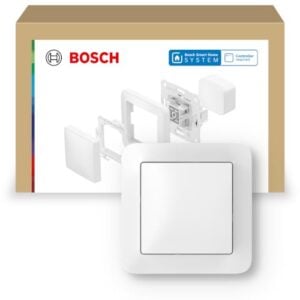
How to control it: In the Bosch Smart Home app with the Bosch Smart Home Controller II, which also handles the connection to Alexa, Google Home and Apple Home. In Home Assistant you have two options: through the controller, or directly via Zigbee2MQTT without a Bosch controller. To pair it in Zigbee2MQTT you need the install code, which according to the Zigbee2MQTT documentation is printed on the device as a QR code.
Option 3: replace it with a smart light switch
Here the old switch and its frame come out, and a smart switch with a built-in relay (the part that actually switches the power) goes in. This makes sense if the switch itself should do more: show a display, offer several buttons for scenes or show temperature and status. The downside: the design rarely matches the other switches in the room.
Shelly Wall Display X2i
In our dining room, a Shelly Wall Display X2i* has taken the place of the old light switch. Its built-in relay switches the dining room light, and the screen also shows scenes, roller shutters and temperatures. It needs a neutral wire. Our Shelly Wall Display X2i guide covers the installation.
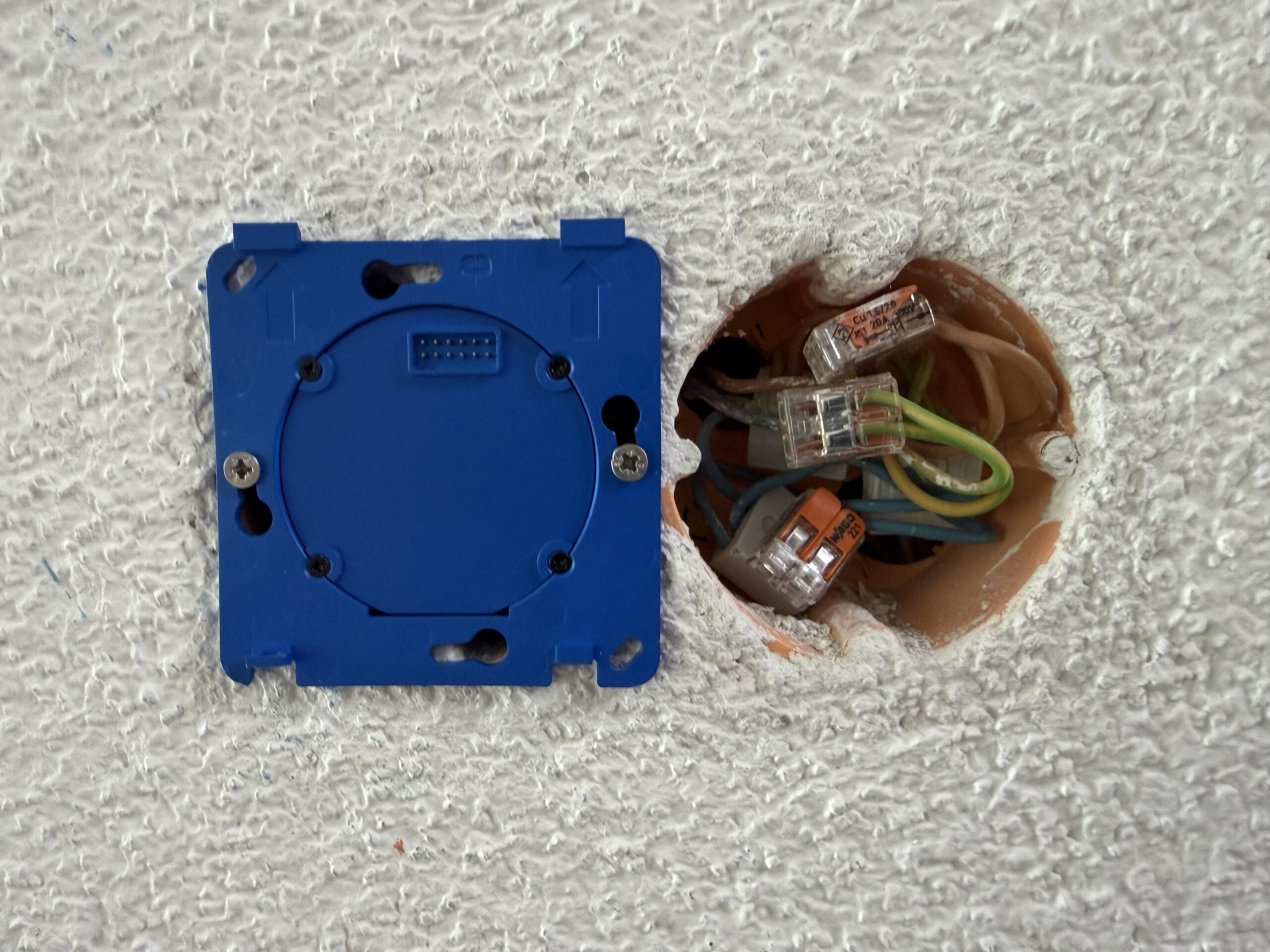
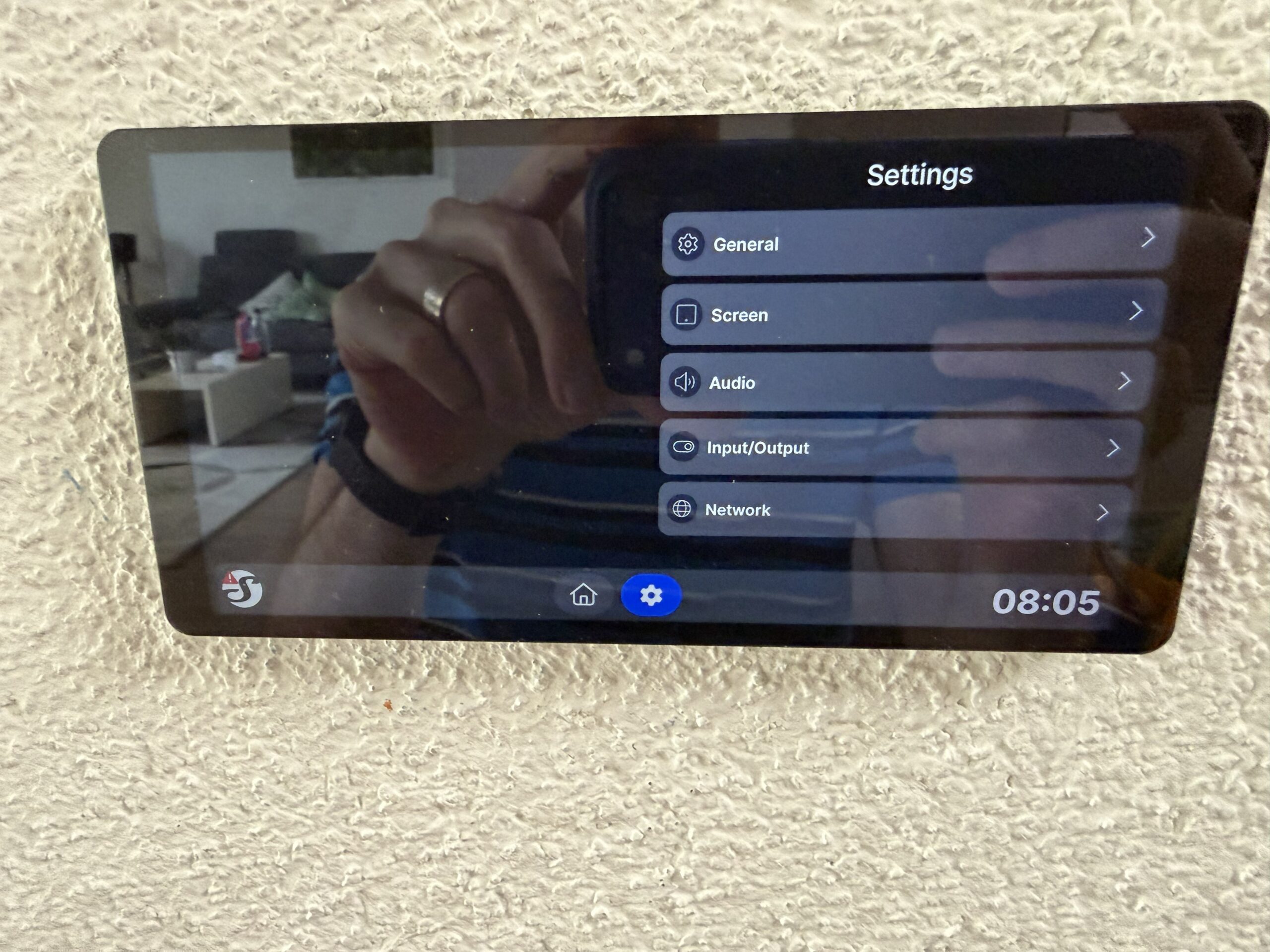
How to control it: It works the same way as the Shelly modules in option 1, and it can also show a Home Assistant dashboard (see Home Assistant dashboard on the Shelly Wall Display).
Zigbee and Thread: Aqara H1 and H2
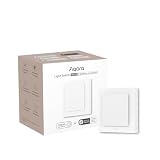
The Aqara Smart Wall Switch H1 EU* is a rocker switch with Zigbee and a relay, also available in a version without a neutral wire. Its successor, the Aqara Light Switch H2 EU*, uses either Zigbee or Thread, another wireless standard that works with Matter, and comes in versions with and without a neutral wire. Cheaper glass touch switches with Zigbee come from Tuya brands such as Moes.
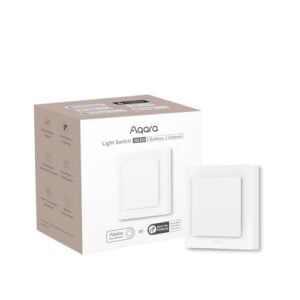
How to control it: Just like the Aqara module in option 1, either with an Aqara hub in the Aqara app or on any Zigbee gateway with Home Assistant. In Thread mode, the H2 runs over Matter, so you need a Thread border router and a Matter controller, such as a HomePod mini, an Apple TV or Home Assistant with a Thread radio.
Not the same thing: wireless switches without a relay
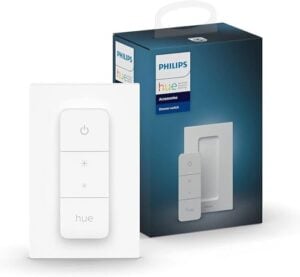
Some switches don’t switch power at all; they only send a wireless command. Examples are the Philips Hue Dimmer Switch*, the “Friends of Hue” switches from Busch-Jaeger or Niko, or the Aqara Wireless Mini Switch. They make sense if your bulbs are smart and always powered. The “Friends of Hue” switches don’t need a battery; they harvest their energy from the button press. They work with the Hue Bridge or Zigbee2MQTT, but Home Assistant’s ZHA integration doesn’t support them.
Making roller shutters smart
For roller shutters, options 1 and 2 are the main choices. Compared with a light, the only difference is that you need two channels, one for up and one for down.
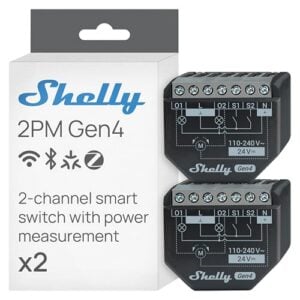
- Module behind the switch: A Shelly Plus 2PM drives the roller shutter in one of our kids’ rooms. Its current successor is the Shelly 2PM Gen4*, which needs a neutral wire. It learns the travel times during a calibration run and can then also move to intermediate positions.
- Smart insert for your designer switch range: the Homematic IP HmIP-BROLL or the Bosch Light/Shutter Control II, both with a neutral wire.
Automations move roller shutters even when nobody is watching. That is why Bosch only recommends its shutter control for motors with obstacle detection. We would apply that advice to any smart shutter control, especially for shutters in front of patio doors.
The devices from this article at a glance
Option 1: Shelly, SONOFF, Hue · Option 2: Homematic IP, Bosch · Option 3: Shelly Wall Display, Aqara
Conclusion
Whether you make a light switch smart with a module, a smart insert or a new switch, what matters is what should stay on the wall and whether there is a neutral wire in the box. If you are unsure, start with a module behind a single switch, for example a Shelly 1 Mini Gen4 if you have a neutral wire, and build from there. Our guide to its predecessor, the Shelly 1 Mini Gen3, shows the wiring, which is the same. Product details as of November 2026.
Frequently asked questions
Yes, but only devices made specifically for that, such as the Shelly 1L Gen4 and 2L Gen4, the SONOFF ZBMINI-L2, the Aqara Single Switch Module T1 without neutral or the no-neutral version of the Aqara H1 wall switch. These draw their power through the lamp, so they need a minimum load, or LED bulbs may glow or flicker. With the Shelly 1L and 2L Gen4, an included bypass at the lamp prevents this. With Hue bulbs, the battery-powered Hue wall switch module is another option.
With our devices, yes: the Shelly modules and the Homematic actuators keep switching the light from the wall switch, and the Shelly Wall Display from its own buttons. Only the app, voice control and automations stop working. The Hue wall switch module and wireless switches without a relay are different: they need their hub to be running, meaning the Hue Bridge or the Zigbee gateway. Alexa and Google Home also need an internet connection; Home Assistant and the local Homematic hub (CCU3) do not.
This typically happens with devices that work without a neutral wire. They let a small current flow through the lamp even when it is off, and low-power LED bulbs glow faintly because of it. Fixes: a bypass (a small load wired in parallel with the lamp, sold by some manufacturers as an accessory and included with the Shelly 1L and 2L Gen4), a bulb with a higher wattage, or a device that uses a neutral wire.
No. Connecting a module means working on your mains wiring, which should be left to a qualified electrician (in Germany this is also a legal requirement). Choosing the device and setting it up after installation is something you can do yourself.
Without touching the wiring, the only option is smart bulbs combined with a wireless switch without a relay, such as the Hue Dimmer Switch, which you mount on the wall. The old wall switch then has to stay switched on permanently, or the bulbs lose power. For all other options, ask your landlord first and keep the old switch inserts so you can put them back.
Not for Shelly Gen3 and Gen4 modules: they join Apple Home via Matter, with a HomePod or Apple TV acting as the Matter controller. Zigbee devices need a gateway with Apple Home or Matter support, and Bosch Smart Home needs its Controller II. Homematic IP can’t be added to Apple Home.