
Raspberry Pi AI HAT+ 2 – Hailo-10H with 40 TOPS and Local LLMs
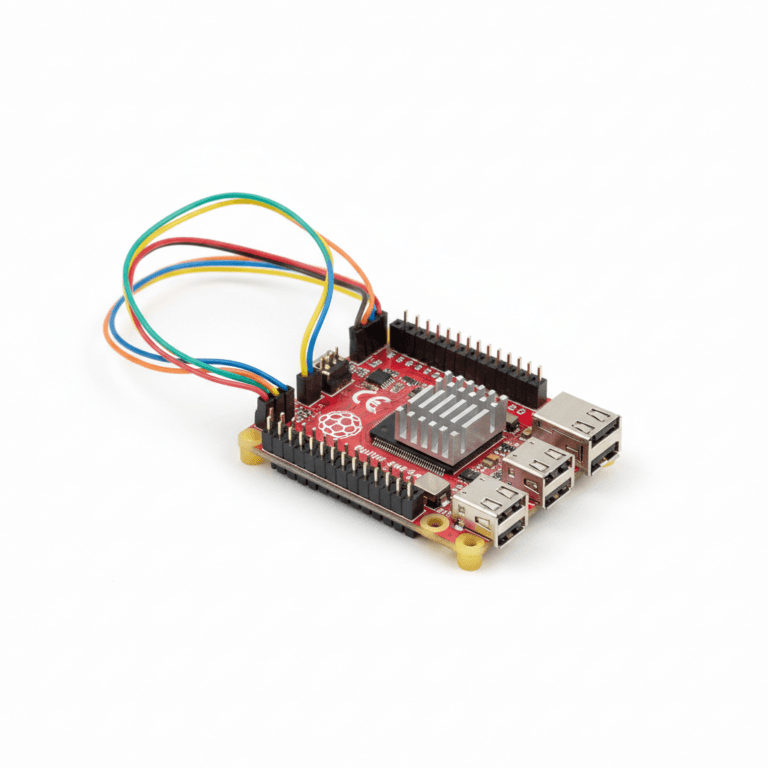
With the Raspberry Pi AI HAT+ 2, the Pi 5 gets its first AI accelerator that doesn’t just process images and video, but also runs local language models (LLMs) directly on the chip – no internet, no cloud. The key is the Hailo-10H chip with 40 TOPS and 8 GB of its own memory.
➡ View the Raspberry Pi AI HAT+ 2*
What Is the Raspberry Pi AI HAT+ 2?
The AI HAT+ 2 is the most powerful member of the AI HAT+ family. Raspberry Pi launched it in January 2026. It’s the same size as the AI HAT+, but adds its own memory:
| Feature | AI HAT+ 13 TOPS | AI HAT+ 26 TOPS | AI HAT+ 2 |
|---|---|---|---|
| Chip | Hailo-8L | Hailo-8 | Hailo-10H |
| Performance | 13 TOPS (INT8) | 26 TOPS (INT8) | 40 TOPS (INT4) |
| Onboard RAM | – (uses the Pi 5’s RAM) | – (uses the Pi 5’s RAM) | 8 GB |
| Language models (LLMs) and vision-language models (VLMs) | No | No | Yes, up to about 6B parameters |
| Software package | hailo-all |
hailo-all |
hailo-h10-all |
| Available since | October 2024 | October 2024 | January 2026 |
The key difference: the 13 and 26 TOPS versions use the Raspberry Pi 5’s memory, while the Hailo-10H brings 8 GB of its own. That’s what makes language models on the accelerator possible in the first place. According to Raspberry Pi, it runs LLMs and VLMs with up to roughly 6 billion parameters.
The Hailo-10H Chip – What’s Inside?
Hailo pitches the Hailo-10H as a chip for generative AI: it handles the classic vision tasks of its predecessors and can also run language and multimodal models.
- 40 TOPS (INT4) – the older chips are rated in INT8 (13 and 26 TOPS), so the numbers aren’t directly comparable.
- 8 GB of memory on the HAT – separate from the Pi 5’s RAM
- PCIe connection – same connector and same size as the AI HAT+
- Heatsink included – Raspberry Pi also recommends fitting the Active Cooler to the Pi 5
Performance: Vision and Language Models
Vision: The AI HAT+ 2 can do everything the AI HAT+ can – object detection, segmentation and pose estimation with a camera all run through the same rpicam-apps demos. Raspberry Pi describes its vision performance as comparable to the 26 TOPS AI HAT+, so for pure computer vision it isn’t any faster.
Language models: This is what sets it apart. The models come from the Hailo Gen-AI Model Zoo and run on the Hailo-10H. We haven’t found independent, reproducible speed measurements (tokens per second) yet, so we’re not quoting any numbers here.
Installation: A Different Package Than the AI HAT+
The AI HAT+ 2 needs its own software package: hailo-h10-all instead of hailo-all. According to Raspberry Pi, the two packages can’t be installed at the same time. If you’ve used an AI HAT+ or the AI Kit on the same Pi before, remove the old package first with sudo apt remove hailo-all.
The steps below follow the official Raspberry Pi guide (as of October 2026). You’ll need the current 64-bit Raspberry Pi OS.
1. Update the system and firmware:
sudo apt update
sudo apt full-upgrade -y
sudo rpi-eeprom-update -a
sudo reboot
2. Install the Hailo software for the AI HAT+ 2:
sudo apt install dkms
sudo apt install hailo-h10-all
sudo reboot
3. Check that the chip is detected:
hailortcli fw-control identify
The output shows the firmware version and chip architecture. Raspberry Pi notes that the AI HAT+ 2 may show <N/A> for serial number, part number and product name – that’s expected.
Running Language Models with hailo-ollama
Language models run through the Hailo Ollama server. It loads models from the Hailo Gen-AI Model Zoo, runs them on the Hailo-10H and provides a REST API you can send questions to – from the terminal or through a chat interface in your browser.
Install the Model Zoo Package
Download version 5.1.1 of the “Hailo Model Zoo GenAI” package and install it. It contains the server and the models for the Hailo-10H:
wget https://dev-public.hailo.ai/2025_12/Hailo10/hailo_gen_ai_model_zoo_5.1.1_arm64.deb
sudo dpkg -i hailo_gen_ai_model_zoo_5.1.1_arm64.deb
Start the Server, Pull a Model and Ask a Question
Start the server in a terminal window. It keeps running in the foreground for as long as the window stays open:
hailo-ollama
Open a second terminal window and list the available models:
curl --silent http://localhost:8000/hailo/v1/list
Download one of the listed models. The Raspberry Pi guide uses qwen2:1.5b as an example – swap in any other model from the list if you like:
curl --silent http://localhost:8000/api/pull -H 'Content-Type: application/json' -d '{ "model": "qwen2:1.5b", "stream" : true }'
Then ask the model a question:
curl --silent http://localhost:8000/api/chat -H 'Content-Type: application/json' -d '{"model": "qwen2:1.5b", "messages": [{"role": "user", "content": "Explain in two sentences what a Raspberry Pi is."}]}'
Optional: Chat in Your Browser with Open WebUI
Open WebUI gives you a proper chat interface instead of curl. It runs as a Docker container – our guide Install Docker on the Raspberry Pi shows you how to set up Docker. With hailo-ollama already running, start Open WebUI like this:
docker run -d -e OLLAMA_BASE_URL=http://127.0.0.1:8000 -v open-webui:/app/backend/data --name open-webui --network=host --restart always ghcr.io/open-webui/open-webui:main
Startup can take up to a minute; docker logs open-webui -f shows you when the server is ready. Then open http://127.0.0.1:8080 in the Pi’s browser, pick a model and start chatting.
Describing Images (VLM)
For vision-language models that describe what a camera sees, Raspberry Pi points to Hailo’s hailo-apps repository, which has the current examples for the Hailo-10H. The older hailo-rpi5-examples repository is outdated and doesn’t include any language model examples.
What You Can Build with the AI HAT+ 2
1. A Local Chat Without the Cloud
With hailo-ollama and Open WebUI, you get a browser chat that runs entirely on your home network. If the models on the Hailo chip are too small for you, larger models can run on the Pi 5’s CPU instead – see our guide Ollama on the Raspberry Pi 5.
2. Describing Camera Images
With a vision-language model from the hailo-apps examples, the Pi can describe in words what the camera sees – again without the cloud.
3. Object Detection with a Camera
For plain object detection, use the rpicam-apps demos just like with the AI HAT+. For a security camera running Frigate, though, the AI HAT+ 2 isn’t the first choice: the Frigate docs only list the Hailo-8 and Hailo-8L as supported Hailo accelerators. That’s why our guide Frigate with the Raspberry Pi AI HAT+ uses the 13 TOPS version.
When Is the AI HAT+ 2 Worth It?
| Use case | Recommendation | Why? |
|---|---|---|
| Security camera with Frigate | AI HAT+ 13 TOPS | Supported by Frigate, cheapest option |
| Several cameras, larger vision models | AI HAT+ 26 TOPS | More throughput, several models in parallel |
| Local language models on the accelerator | AI HAT+ 2 | The only AI HAT with LLM support |
| Describing camera images in words (VLM) | AI HAT+ 2 | The only AI HAT with VLM support |
Buy Hardware
For a complete AI HAT+ 2 setup, I recommend:
- Raspberry Pi AI HAT+ 2 (40 TOPS / Hailo-10H)* – $130 at launch in January 2026, noticeably more since the April 2026 price increases
- Raspberry Pi 5 (8 GB)* – recommended if you’re running other services alongside the model
- Active Cooler for Pi 5* – recommended by Raspberry Pi in addition to the HAT’s heatsink
- Official 27W USB-C Power Supply* – essential for a stable power supply
Conclusion
The Raspberry Pi AI HAT+ 2 is a real upgrade – but not for everyone. If you mainly want object detection or Frigate NVR, the cheaper 13 or 26 TOPS model is the better fit: Raspberry Pi says vision performance is comparable to the 26 TOPS version, and the Frigate docs don’t list the Hailo-10H. Where the AI HAT+ 2 shines is elsewhere: it’s the first Raspberry Pi accessory that runs language models directly on the accelerator.
For local chat assistants and image descriptions without the cloud, the AI HAT+ 2 is the only official option in the Raspberry Pi ecosystem. Two things to get right during setup: install hailo-h10-all rather than hailo-all, and use the hailo-ollama server for language models.
Frequently Asked Questions about the Raspberry Pi AI HAT+ 2
The AI HAT+ 2 uses the Hailo-10H with 40 TOPS (INT4) and is the only one with 8 GB of its own memory. That lets it run language models (LLMs) and vision-language models (VLMs) with up to roughly 6 billion parameters directly on the accelerator. The older Hailo-8L (13 TOPS) and Hailo-8 (26 TOPS, both INT8) versions can’t do that. For pure vision tasks, the cheaper versions are often enough.
Models from the Hailo Gen-AI Model Zoo, which you load through the hailo-ollama server. To see which models are currently available, run curl --silent http://localhost:8000/hailo/v1/list. The official Raspberry Pi guide uses qwen2:1.5b as an example.
We haven’t found independent, reproducible speed measurements yet, so we’re not quoting any numbers. What’s certain is that the models run on the Hailo-10H and use its own memory instead of the Pi 5’s RAM.
Yes. The AI HAT+ 2 needs the hailo-h10-all package, while the AI HAT+ and AI Kit use hailo-all. The two packages can’t be installed at the same time. For language models, you also need the Hailo Model Zoo GenAI package, which includes the hailo-ollama server.
Yes. According to Raspberry Pi, the AI HAT+ 2 can do everything the AI HAT+ can, such as object detection and pose estimation with the rpicam-apps demos. Raspberry Pi describes its vision performance as comparable to the 26 TOPS AI HAT+. On top of that, it can describe camera images in words using vision-language models.