DeepSeek on the Raspberry Pi 5: What Runs Locally and When It’s Worth It
DeepSeek R1 is a reasoning model from the Chinese AI company DeepSeek. It works through a problem step by step and shows that reasoning in a “thinking block” before it answers. The model files are free to download, and small versions of R1 will even run on a Raspberry Pi 5. You just need Ollama, a tool for downloading and running language models on your own hardware. Everything stays on the Pi, with no cloud involved.
This guide covers which DeepSeek models fit on a Pi 5, how fast they run, how to install them and when a different setup makes more sense.
In short
Only the small versions of DeepSeek R1 run on a Raspberry Pi 5, and deepseek-r1:1.5b is the one to start with.
- DeepSeek’s current models are far too big for a Pi.
- The 7b and 8b models need 8 GB of RAM and a lot of patience.
- Ollama sets everything up with a few commands, and you only need an internet connection for the download.
- For quicker answers on the Pi, use a smaller model with no thinking block. If you want local AI every day, get a mini PC.
Which DeepSeek Models Run on the Pi 5?
The full R1 is far too big for a Pi, but it also comes in distilled versions. These are smaller models trained on R1’s output and built on another model (the “Based on” column). The “b” in the name stands for billions of parameters. Tokens are pieces of words, so the “Tokens/s” column shows how fast the model writes. Three of these models fit in a Pi 5’s memory, and the smallest needs only 4 GB:
| Model | Download | Recommended RAM | Tokens/s (Pi 5, 8 GB) | Based on |
|---|---|---|---|---|
deepseek-r1:1.5b | ~1.1 GB | 4 GB | ~7–9 | Qwen2.5 |
deepseek-r1:7b | ~4.7 GB | 8 GB | ~2–3 | Qwen2.5 |
deepseek-r1:8b | ~5.2 GB | 8 GB | ~2 | Qwen3 (R1-0528) |
Our pick: Start with deepseek-r1:1.5b. It runs on just 4 GB of RAM and is by far the fastest. Thinking step by step helps most with logic, math and code. The bigger models handle harder tasks better, but they’re noticeably slower. If you want to go bigger, pick the 8b, which is the newer release. The 7b is a little smaller and faster. You only need an 8 GB Pi 5 for these two.
Always add the size to the command. Without it, ollama run deepseek-r1 downloads the 8b model, which is too big for a 4 GB Pi.
Why Bigger Models Are Out
deepseek-r1:14b is a 9 GB download, so it won’t fit in 8 GB of RAM. A 16 GB Pi 5 has room for it, but it would run even slower than the 7b. The full R1 has 671 billion parameters, and DeepSeek’s current V4 and V4.1 models range from several hundred billion to 1.6 trillion. In Ollama, V4-Pro and V4.1-Flash are available only as cloud models.
How Fast Is It, Really?
Don’t expect a snappy everyday AI assistant. At 7–9 tokens per second you get a few words per second, and at 2–3 tokens you get one or two. Treat the numbers in the table as ballpark figures. With deepseek-r1:7b, a long thinking block can delay the actual answer by 30–60 seconds. For comparison, a laptop with a dedicated GPU such as the NVIDIA RTX 4060 gets 40–100 tokens/s with the same models.
The Pi 5 still works well for:
- experimenting and learning
- occasional jobs like code reviews or summarizing text
- home automation with short prompts
- working offline
It’s not a good fit for:
- conversations with long answers
- several people using it at once
- anything you rely on every day
If you plan to use it daily, check when a different setup is better before you buy anything.
What You’ll Need
- A 4 GB Raspberry Pi 5* (over $100) for
deepseek-r1:1.5b, or an 8 GB model* (list price $175) for the 7b and 8b models. Prices have climbed sharply lately, and our price history has the official figures. - The official Active Cooler*, because running a model keeps all four cores busy.
- The official 27 W power supply*.
- A microSD card* with Raspberry Pi OS (64-bit). Each model takes up roughly 1–5 GB, so 32 GB is enough to get started.
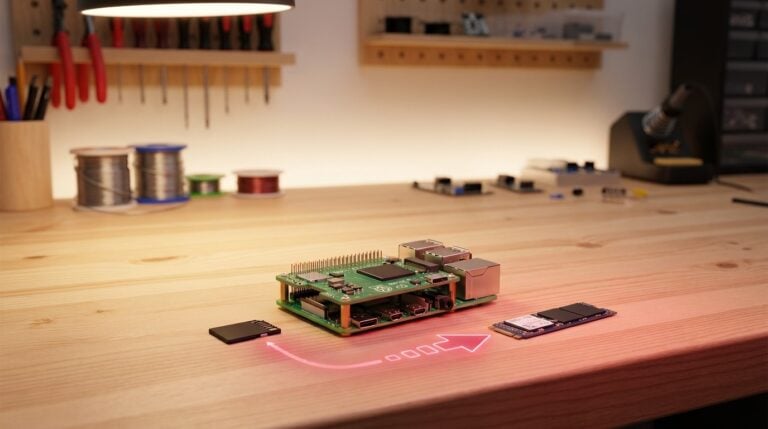
- An optional NVMe SSD (M.2 2242)* with a PCIe HAT*. It won’t speed up the answers, but models load into memory in under 5 seconds, compared with more than 20 from a microSD card. Our NVMe SSD guide walks you through the setup.
Installing and Running DeepSeek
Run these three commands in a terminal on your Pi or over SSH. For a bigger model, change the size in step 3 to ollama run deepseek-r1:7b or ollama run deepseek-r1:8b:
By the end, you’ll have DeepSeek R1 running locally in your Pi’s terminal.
- Install Ollama
curl -fsSL https://ollama.com/install.sh | sh - Check that the service is running
sudo systemctl status ollama --no-pager - Download and run DeepSeek R1
ollama run deepseek-r1:1.5b
Step 2 should show active (running). If it doesn’t, restart the service with sudo systemctl restart ollama and check again. If that doesn’t help, journalctl -u ollama -n 20 --no-pager shows the latest messages.
The first time you run it, Ollama downloads the model (about 1.1 GB) and drops you straight into the chat. For each question, DeepSeek writes out its thinking block first and then the answer. Type /bye to leave the chat. To start again, run the same command. It won’t download anything the second time.
Our Ollama guide covers the REST API, more commands and speed tips. If you’d rather have a graphical interface, try Open WebUI, which shows the thinking block in a collapsible section.
When Is a Different Setup Better?
For quicker answers, use a smaller model. If you want to keep the Pi’s processor free, look at the AI HAT+ 2. A mini PC suits daily work, and the cloud API gives you full performance.
A Smaller Model Without a Thinking Block
If you want quick answers on the Pi, you don’t have to stick with DeepSeek. Our Ollama guide lists gemma3:1b at 18–22 tokens/s, and that model has no thinking block to wait through, though you lose the step-by-step reasoning. Start it with ollama run gemma3:1b. The newer Gemma 4 is available in Ollama too, but on a 4 GB Pi we only got it running with LiteRT, as our hands-on shows.
Raspberry Pi AI HAT+ 2
The original AI HAT+ won’t help with language models because it only speeds up vision tasks. The AI HAT+ 2 is a different story. It runs them directly on its Hailo-10H chip and has 8 GB of dedicated memory for the job. When the HAT launched in January 2026, Raspberry Pi also announced a 1.5-billion-parameter DeepSeek-R1-Distill model for it. This setup doesn’t use regular Ollama. Instead, the model runs on Hailo’s own hailo-ollama server, which lists the available models once it’s installed. Raspberry Pi sells the HAT for $200, which is more than an 8 GB Pi 5 (list price $175). That makes it hard to justify just for trying things out, but it’s interesting if you want to keep the Pi’s processor free for other jobs.
Mini PC
A mini PC with an AMD Ryzen chip, like the Beelink SER5 MAX*, gets 10–20 tokens/s with 7b models. That’s 5 to 10 times faster than the Pi 5, at roughly three times the price of an 8 GB board. It’s worth it if you want to use local models every day. On Linux, the same Ollama commands work.
Cloud API
If privacy matters less to you, you can connect Open WebUI to the DeepSeek API instead. You’ll need an API key from DeepSeek. Then add the API as an OpenAI-compatible connection, and our Open WebUI guide covers the interface itself. That gives you current models such as deepseek-flash (currently V4.1-Flash), but they run in the cloud and whatever you type leaves your home network. For costs, check DeepSeek’s pricing page.
Frequently Asked Questions
Only the distilled versions of R1 run on it: deepseek-r1:1.5b (~7–9 tokens/s, 4 GB RAM), deepseek-r1:7b (~2–3 tokens/s, 8 GB RAM) and deepseek-r1:8b (~2 tokens/s, 8 GB RAM). The full 671-billion-parameter R1 and the current V4 and V4.1 models are too big for a Pi.
4 GB is enough for deepseek-r1:1.5b. The 7b and 8b models need 8 GB. With less RAM, the system starts swapping heavily and the model gets too slow to use.
The 1.5b model runs at about 7–9 tokens/s and the 7b model at about 2–3 tokens/s. With long thinking blocks on the 7b, it can take 30–60 seconds for the actual answer to appear. For daily use, a mini PC with an AMD Ryzen chip is the better option.
The AI HAT+ doesn’t, because it only speeds up vision tasks. The AI HAT+ 2 can run language models itself, but it uses Hailo’s hailo-ollama server rather than regular Ollama.
DeepSeek R1 is a reasoning model, so it shows its thought process before it answers. That helps with logic, math and code. For simple chats, Meta’s Llama is often good enough and responds faster because there’s no thinking block.
The Bottom Line
The Raspberry Pi 5 is a great way to learn about local AI, and deepseek-r1:1.5b lets you watch a reasoning model at work on your own hardware. For quicker answers, use a smaller model. For daily use, a mini PC will serve you better. Happy tinkering!