Meshtastic Explained: How the Off-Grid Radio Network Works
Meshtastic turns small radio boards into a messaging network that needs no cellular network, no Wi-Fi and no account. The devices are cheap, reach for kilometres and relay messages for each other. Search for it and you mostly find shops and manufacturer pages – but rarely Meshtastic explained from the ground up: how the network actually works.
This article fills that gap: what Meshtastic is good for, how a message finds its way, who can read along, how much you can transmit and why not every message arrives. The examples come from our test on 2 October 2026 with two nodes: a Raspberry Pi 5 with a radio HAT and a RAK4631 Starter Kit. The figures on how widespread Meshtastic is were taken from a public node map on the same day.
Disclosure: RAKwireless provided the test devices free of charge as test samples. The manufacturer has no influence on the content.
Meshtastic is open-source firmware for radio boards with a LoRa chip. Devices running it – the nodes – exchange text messages, positions and readings directly over radio and relay packets from other nodes. In Europe, Meshtastic uses the licence-free 868 MHz band. A smartphone only serves as screen and keyboard; the radio link runs between the nodes.
• You need at least two nodes and the Meshtastic app.
• Every node relays messages, by default across at most three stations.
• It carries short texts, positions and readings – no pictures, no audio, no video.
• The default channel is readable by everyone; direct messages can only be read by the recipient.
• There is no delivery guarantee. With direct messages you can see whether they arrived.
What Meshtastic is – and what it is not
There is no provider and no network operator behind Meshtastic. The network consists of the devices of the people who take part. Switch on two nodes and you have a network of two nodes; if a third one lives in range, it is part of it.
Three things are often confused with it:
- LoRaWAN uses the same radio technology, but differently: sensors send to gateways that pass the data on to a server on the internet. Meshtastic has neither gateway nor server.
- Mobile messengers deliver pictures, voice and video in seconds. Meshtastic delivers short texts, and at a leisurely pace.
- Amateur radio requires an exam and a call sign. In Europe, Meshtastic runs in the licence-free 868 MHz band; the firmware keeps to the limits for transmit power and airtime that apply there once the
EU_868region is set.
What people use Meshtastic for
- Out of coverage: staying in touch while hiking, on the water or on a festival site, and seeing where the others are.
- When the network fails: passing messages around town when cellular and internet are down. Radio groups such as the one on the Donnersberg explicitly name emergency communication as the goal of their network.
- Tracking positions: nodes with GPS report their position – on the bike, on the dog, on the camper van.
- Readings without Wi-Fi: temperature and humidity from the garden shed, the garage or the beehive. How such readings end up in Home Assistant is shown in our guide Meshtastic in Home Assistant.
- Tinkering and learning: trying out radio, antennas and networks on a small scale.
Of these, we tested messaging and readings ourselves. The other points describe what the technology is designed for.
What you need to get started
- Two nodes. With a single device you cannot see whether anything arrives – unless there is already a network near you. Heltec boards are the most common in Europe, and several brands sell their V3 as LoRa V3 boards* – just pick the version for your region’s band. A Raspberry Pi 5* with a radio HAT works as a node too.
- A smartphone with the Meshtastic app for iOS or Android. It connects to the node via Bluetooth.
- The right frequency. In Europe, the devices must be made for 868 MHz. Versions for 915 MHz are meant for the US and do not work here.
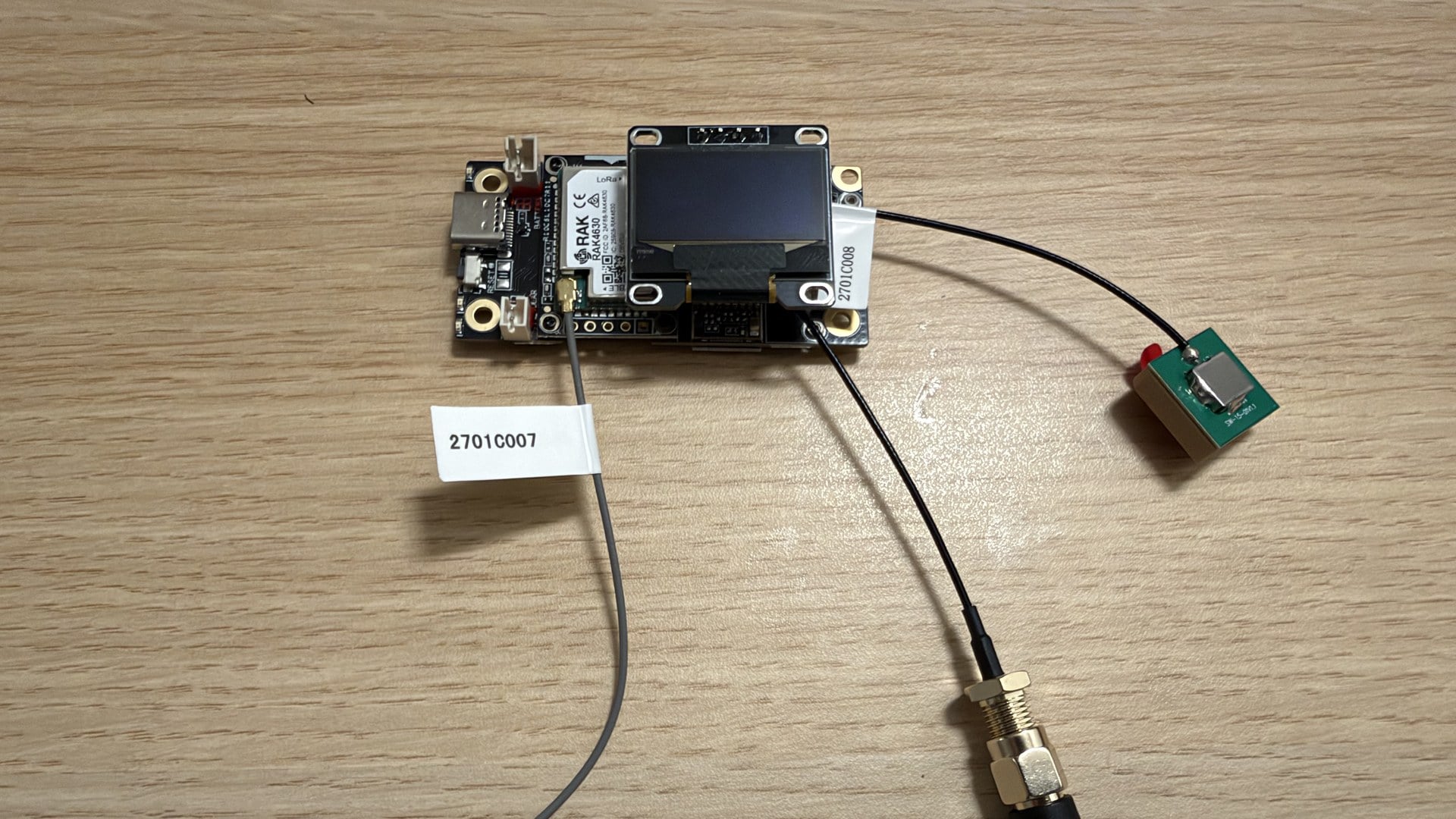
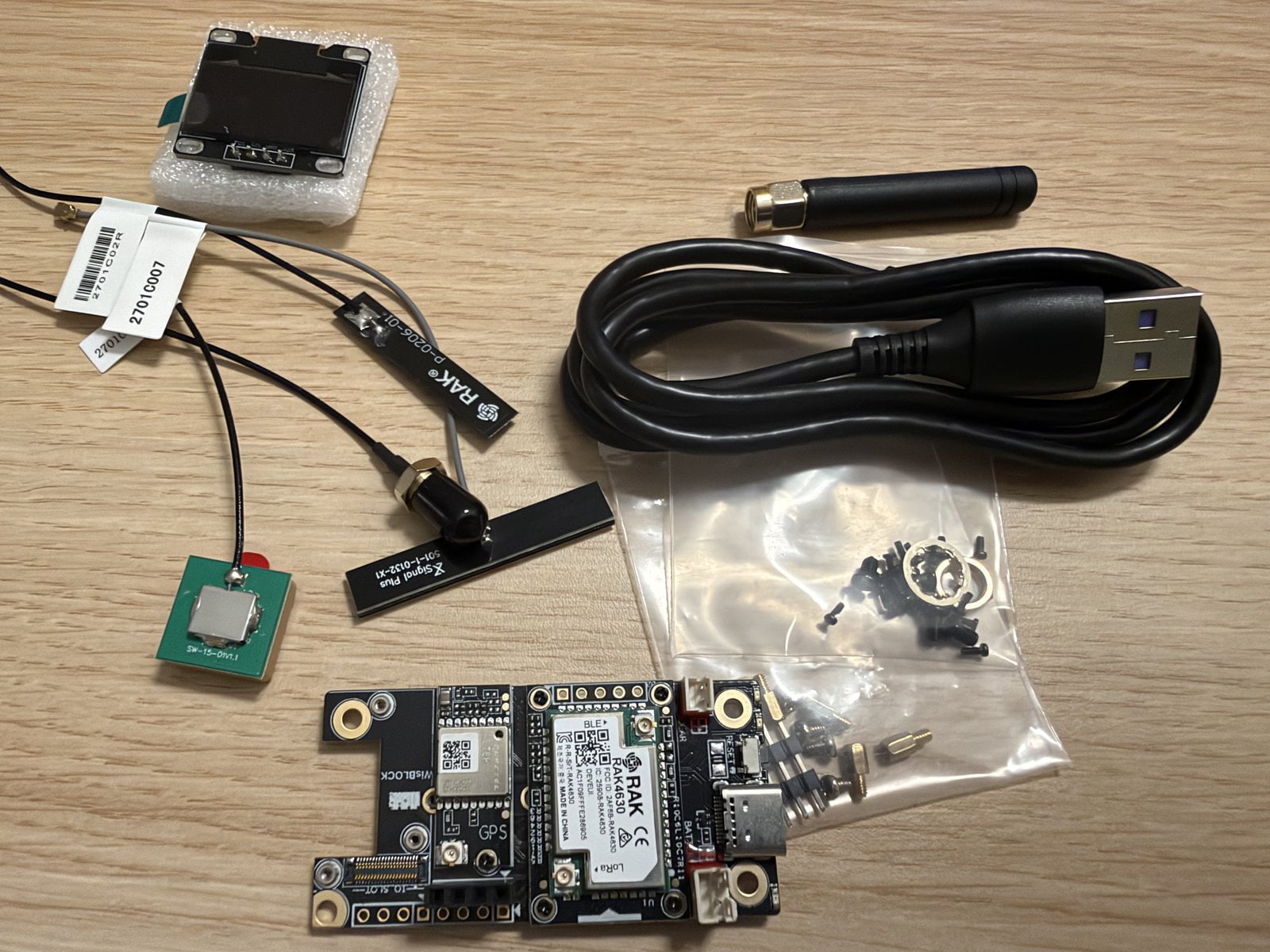
Our second node is the WisMesh RAK4631 Starter Kit: a base board with radio module, plus display and antennas. Assembly takes two steps – push on the display, connect the antennas – and the firmware was preinstalled.
Important with every node: connect the antenna first, then the power. A LoRa module transmitting without an antenna can be damaged.
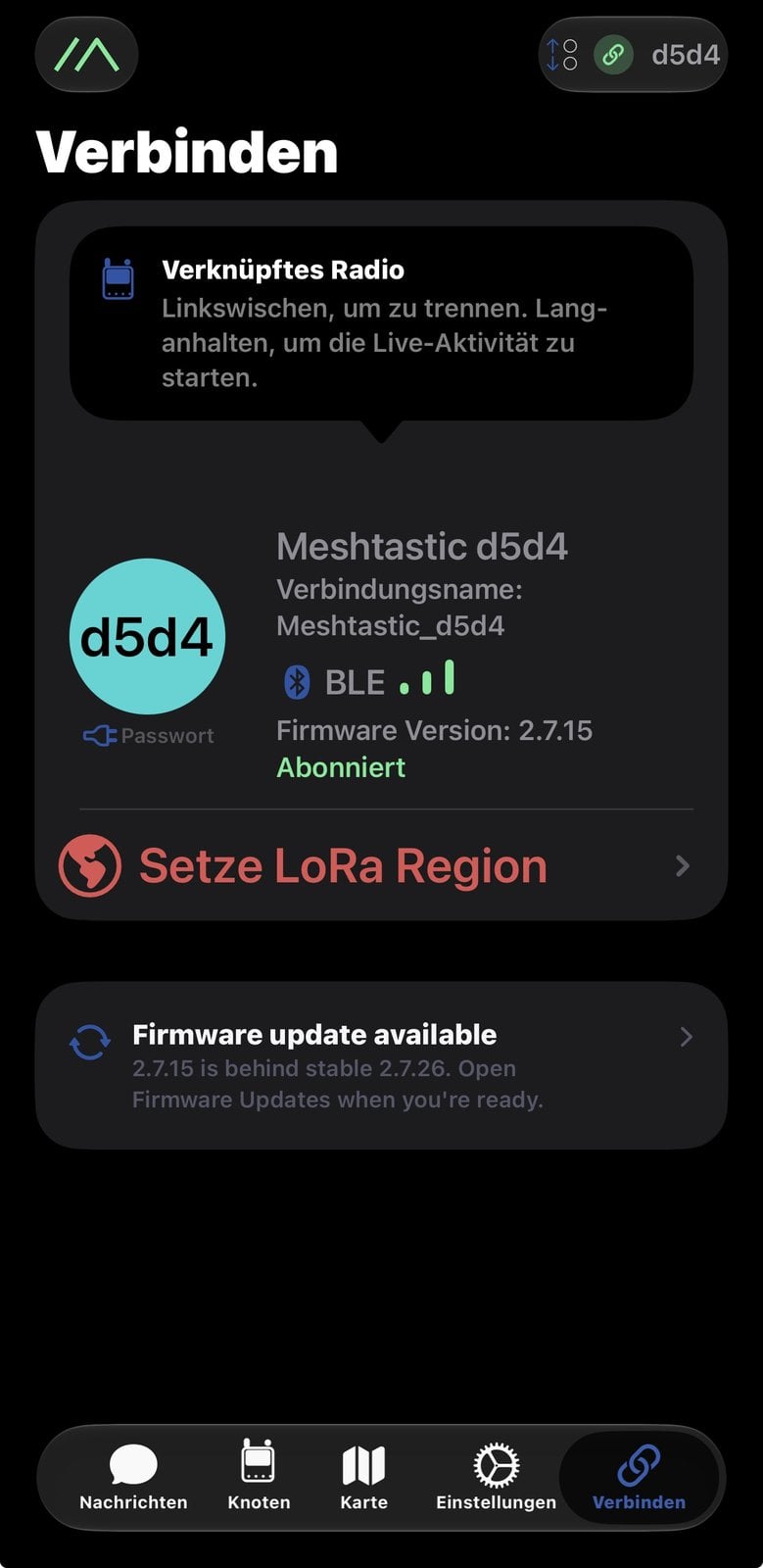
After switching on, you pair the node in the app via Bluetooth and set the region. Without a region, a node does not transmit.
Do devices from different manufacturers work together?
Yes. Meshtastic is firmware, not a device. According to the project’s hardware list, it runs on boards from many manufacturers and on Linux computers. On the map we evaluated, Heltec devices led in Europe, followed by the RAK4631 and boards from Seeed.
For two nodes to hear each other, three settings must match: the region, the radio preset and the channel. Manufacturer and design do not matter. In our test, a Raspberry Pi running firmware 2.7.26 and the Starter Kit running 2.7.15 talked to each other without any intervention – two different platforms, two different versions.
Other radio protocols are not compatible, even if they run on the same boards. That applies to LoRaWAN and to MeshCore, a second mesh firmware for the same hardware: a Meshtastic node and a MeshCore node cannot talk to each other.
How the mesh forms
A node that receives a message transmits it again. That way it also reaches recipients the sender itself cannot hear. Two rules from the description of the algorithm keep this from getting out of hand:
- The hop counter. Each message may pass through a limited number of stations. The default is three, the maximum seven. Each station counts down by one; at zero, the journey ends.
- Listen first, then repeat. Before a node passes a message on, it waits briefly. If it hears another node repeat it in that time, it stays quiet. Nodes further away get their turn first so that the message travels as far as possible.
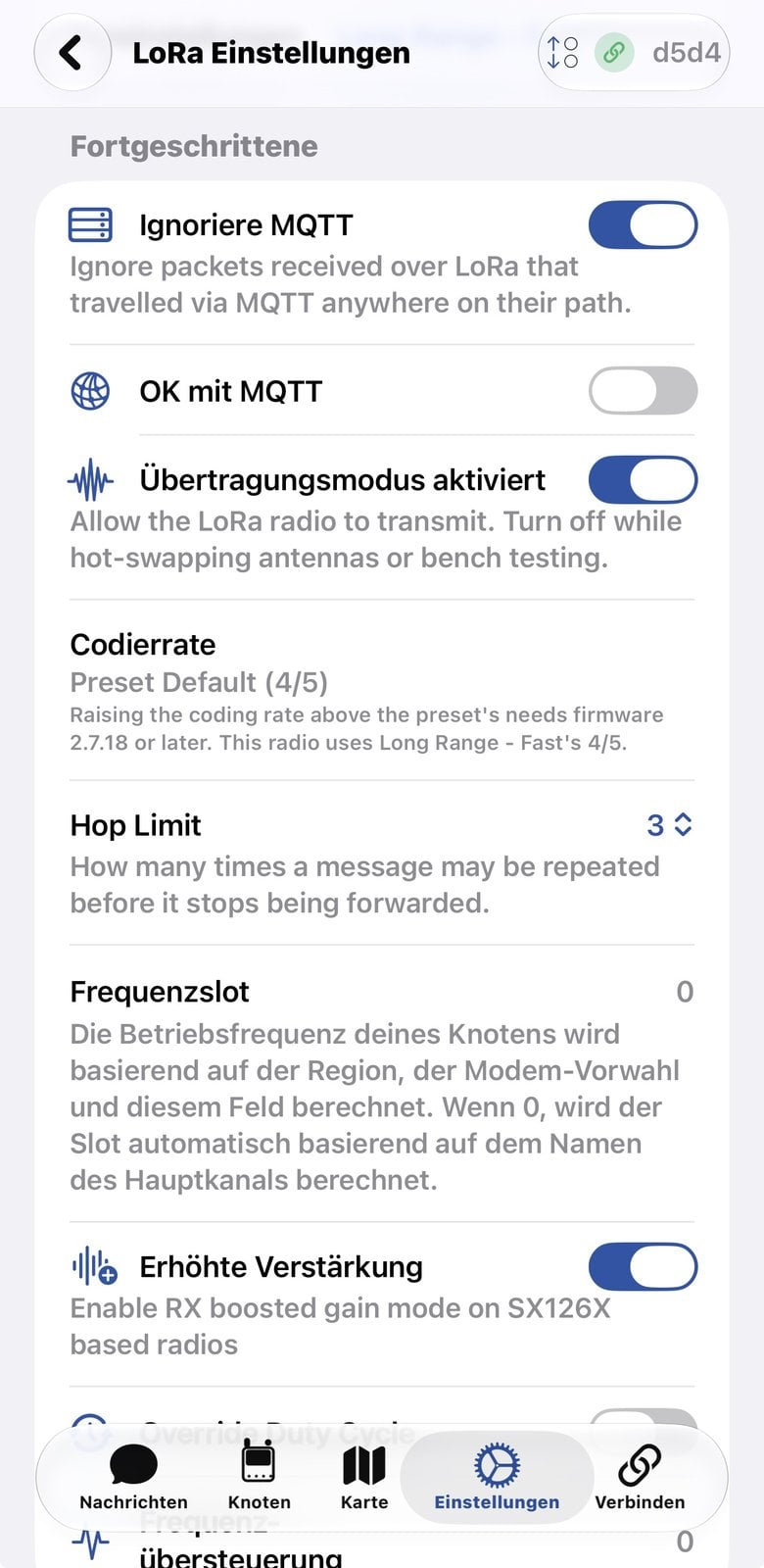
There is no fixed route. No node knows a map of the network; the message spreads out and every node remembers what it has already seen. Since version 2.6, the firmware additionally learns for direct messages which neighbour last reached a recipient and sends the next message there specifically.
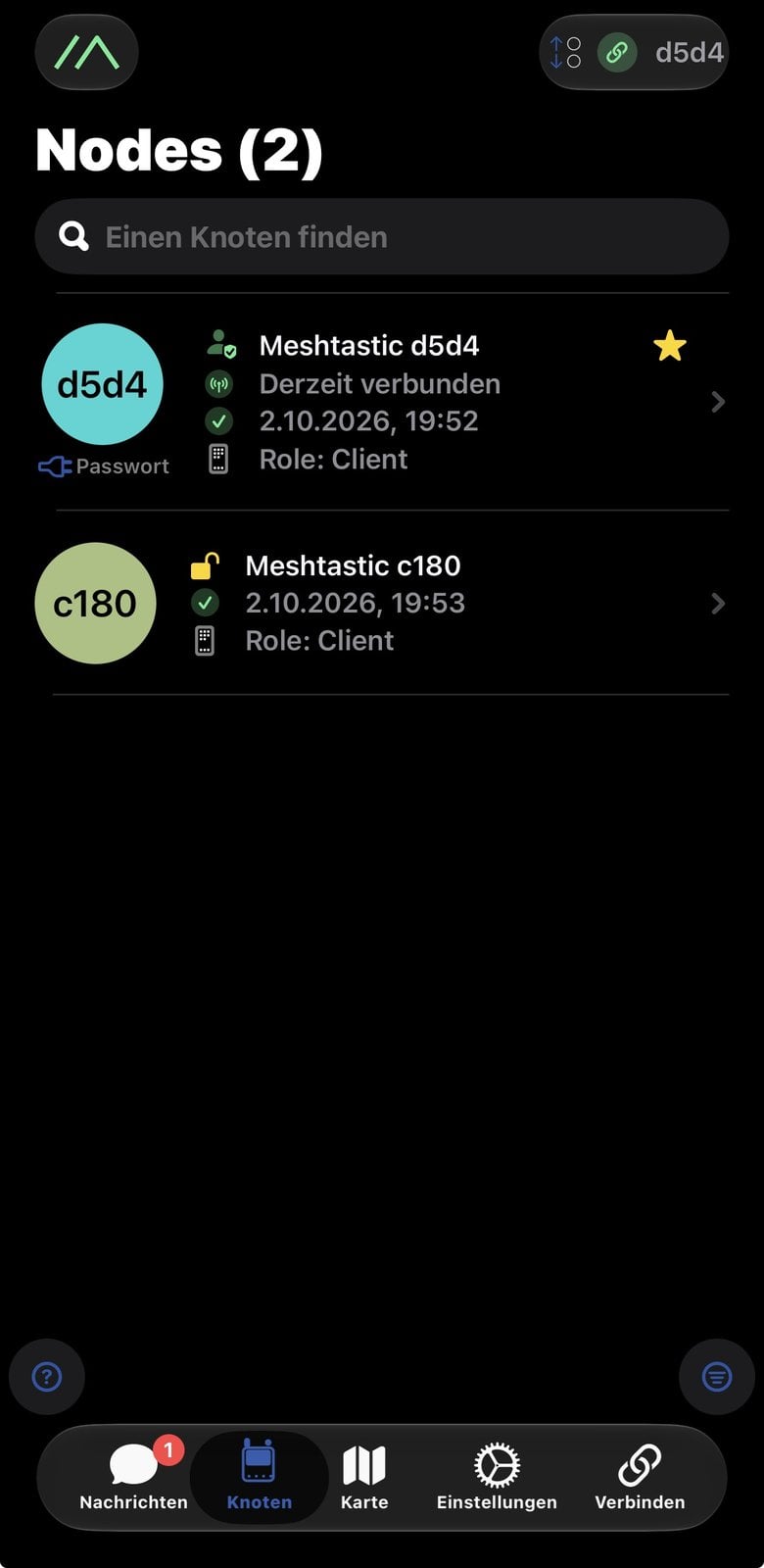
Foreign nodes join automatically. Anyone in range with the same radio settings appears in your node list, and their packets are relayed by your nodes – even if they cannot decrypt the content.
How widespread is Meshtastic in Europe?
There is no register of all nodes. The map at meshmap.net gives an indication. It shows nodes that share their position and whose packets are reported via an internet connection. On 2 October 2026 it listed 9,806 nodes, 3,235 of them with the EU_868 region – a third, almost as many as in the US.
| Within 30 km of | Nodes on the map |
|---|---|
| Vienna | 58 |
| Frankfurt | 49 |
| Berlin | 46 |
| Hamburg | 35 |
| Munich | 33 |
| Cologne | 31 |
| Stuttgart | 16 |
| Zurich | 15 |
These figures are a lower bound. Nodes without position sharing and networks without an internet link are missing. In the metropolitan areas an existing network is likely; in the countryside the nearest node can be far away. From our location, the nearest listed node was 20 to 30 kilometres away, and on one evening with an indoor antenna we did not receive a single foreign node.
A second reason why you may see nobody despite many nodes: not everyone uses the LongFast preset. Several German groups have moved to faster presets – according to an overview by Mesh Dresden, Berlin to MediumFast and Hesse to ShortSlow. If you transmit with LongFast there, you will not hear the local network. Before buying, it is worth checking the website of the group in your region.
How much and how often can you send?
Little, and that is by design. LoRa trades speed for range. According to the documentation, the LongFast preset transfers 1.07 kilobits per second. For comparison: a single three-megabyte phone photo would need more than six hours of continuous airtime at that rate.
| Quantity | Value | Source |
|---|---|---|
| Data rate LongFast | 1.07 kbit/s | Meshtastic documentation |
| Data rate MediumFast | 3.52 kbit/s | Meshtastic documentation |
| Payload per packet | about 233 bytes (239 bytes max. for the whole packet) | Meshtastic documentation |
| Length of a text message | at most 200 characters | shown in the web client |
| Airtime in Europe | at most 10 % per hour and node | Meshtastic documentation |
| Readings from a sensor | every 30 minutes | default, confirmed in our test |
The ten percent limit is a rule for the frequency band in use. A node may transmit for at most six minutes in any hour, own messages and relayed ones combined. Once it reaches the limit, it stays silent until airtime is available again.
So what fits? Short texts, positions, readings, status messages. What does not: pictures, voice, files and anything that streams data continuously. A video stream is out of the question. A sensor reporting every second is the wrong application too – our node raised an interval of 300 seconds to 1800 seconds on its own.
Does every message arrive?
No. Meshtastic gives no delivery guarantee, and that follows from how it is built:
- All nodes in a region with the same preset share one frequency. In Europe there is exactly one frequency slot for LongFast, at 869.525 MHz.
- Every packet occupies that frequency for a while. At 1.07 kilobits per second, a full packet takes roughly one to two seconds.
- Every message is repeated by other nodes. One message thus becomes several transmissions.
- If two nodes transmit at the same time, they interfere with each other. Each node does check whether the frequency is free before transmitting. But two nodes that cannot hear each other may still transmit simultaneously – and the receiver in between gets nothing usable.
- Add the ten percent limit and the hop counter: a busy node falls silent for a while, and after three stations the journey ends.
The more nodes and the more traffic, the more often something gets lost. The developers describe this in a dedicated post: with more than about 60 nodes in close proximity, LongFast is often overwhelmed; faster presets shorten the airtime and reduce collisions. The firmware itself stretches the intervals for readings and positions in networks with more than 40 active nodes.
How to tell whether a message arrived
- Message to everyone in the channel: Your node waits for any other node to repeat the message. If it hears that, the message counts as handed over to the network; the app showed “Delivered to mesh” for us. That does not mean a particular person has read it. If no repetition is heard, the node sends it up to two more times (three transmissions in total).
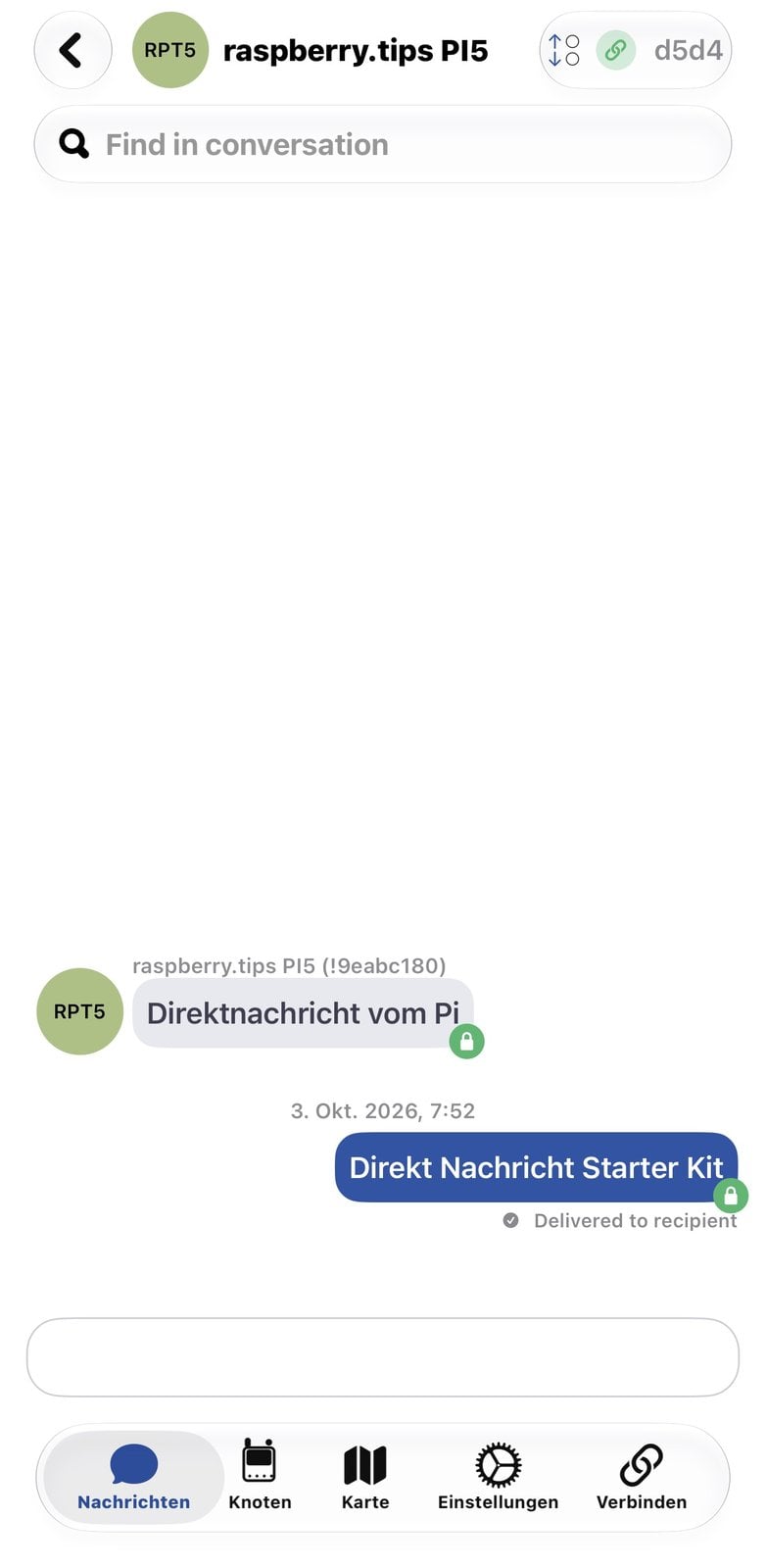
- Direct message: The recipient sends a real acknowledgement back. Our direct message from the Raspberry Pi to the Starter Kit was acknowledged with
Received an ACK, the reply in the app with “Delivered to recipient” – delivered to the recipient, not just into the network.
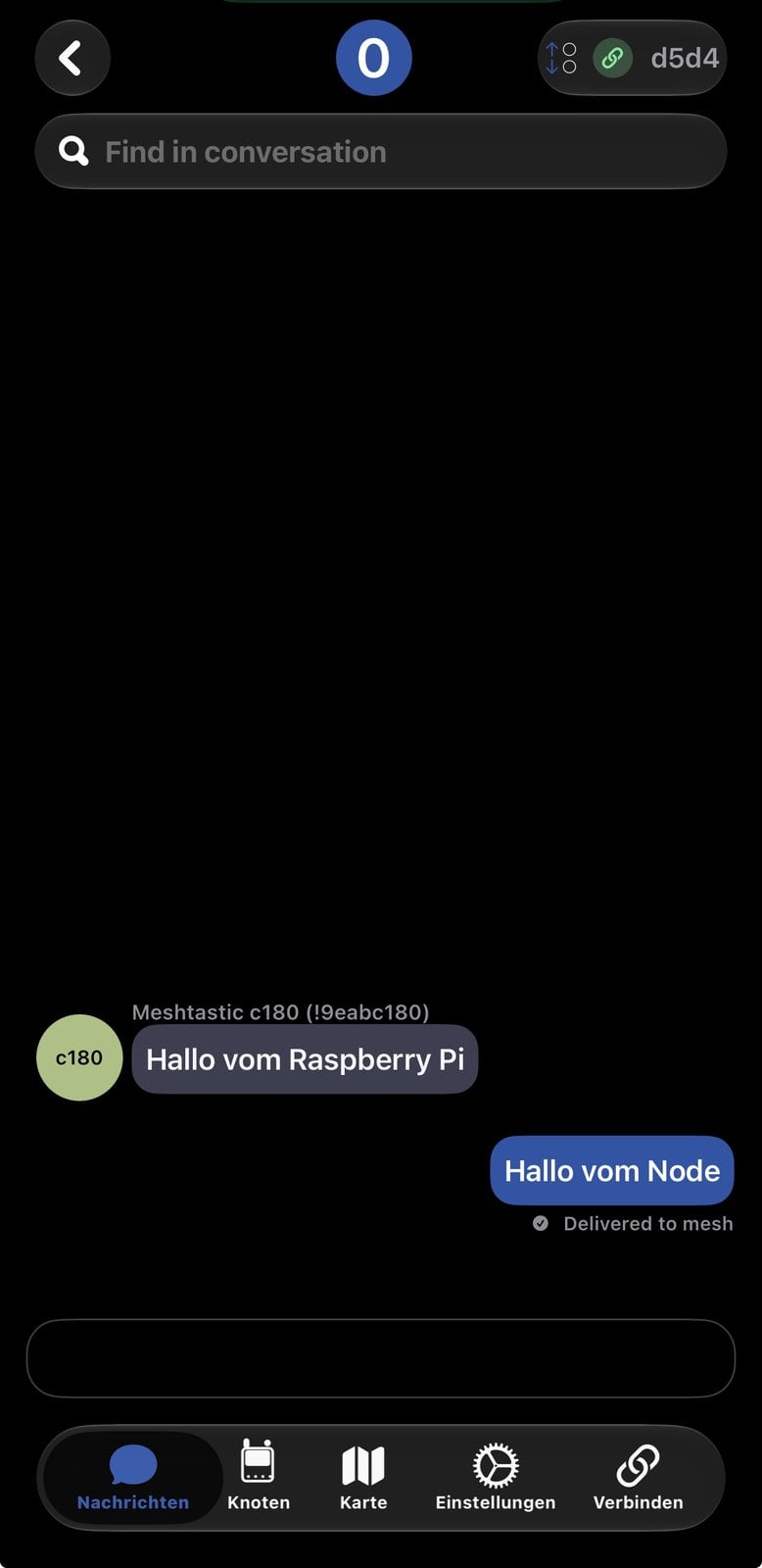
In practice this means: do not rely blindly on a single message for appointments or in an emergency. Send what matters as a direct message and watch for the acknowledgement.
Who can read along?
That depends on the type of message. The basis is the encryption description in the documentation.
| Type of message | Who can read it |
|---|---|
| Message in the default channel | every Meshtastic node in range: the channel is encrypted, but with a publicly known key |
| Position and readings | everyone as well – they travel over the first channel |
| Message in your own channel | only nodes you have given the channel key to |
| Direct message to one node | only the recipient: since version 2.5 it is encrypted with that node’s public key |
Two limitations always apply. The header of every packet stays unencrypted: who sent to whom and when is visible to everyone, only the content is not. And once you hand out a channel key you cannot take it back – recorded messages can be read later with it as well.
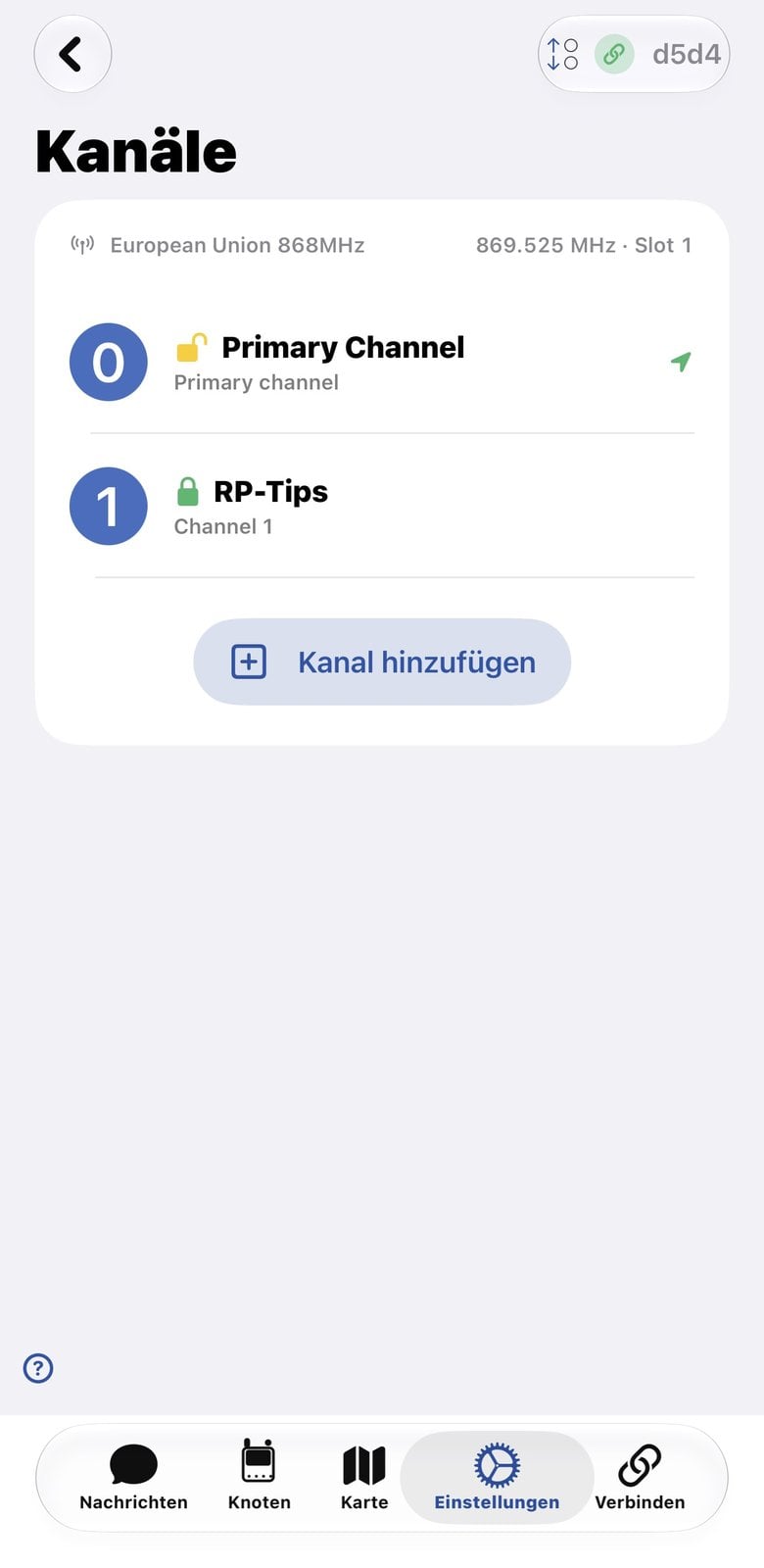
Create your own channel as a second channel and leave the default channel in first place. That keeps you visible to the public network and gives you a private room on top. In the app this is done under Settings → Channels → “Add channel”: give it a name, let the app generate a key, set the role to “Secondary”, save.
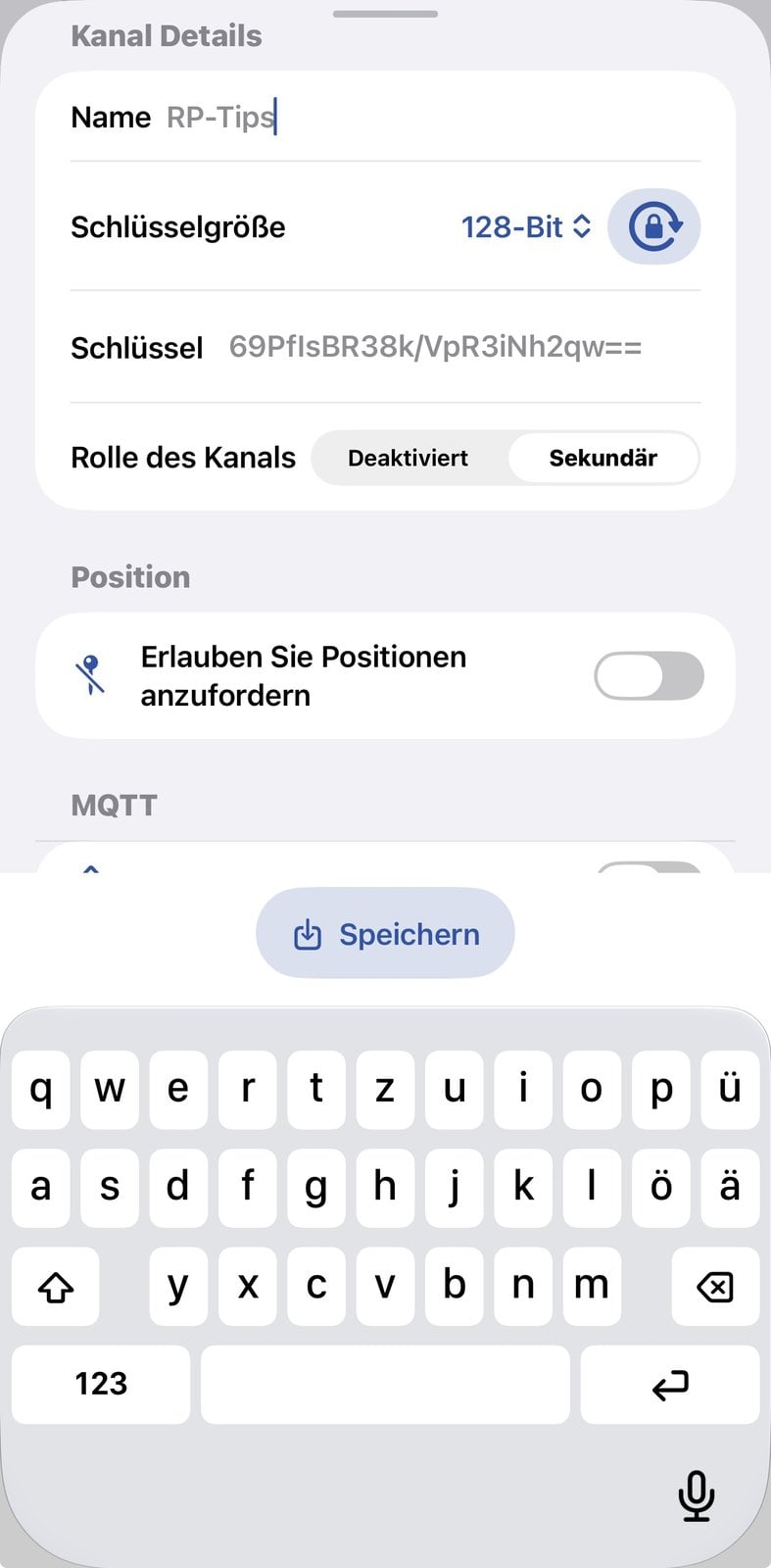
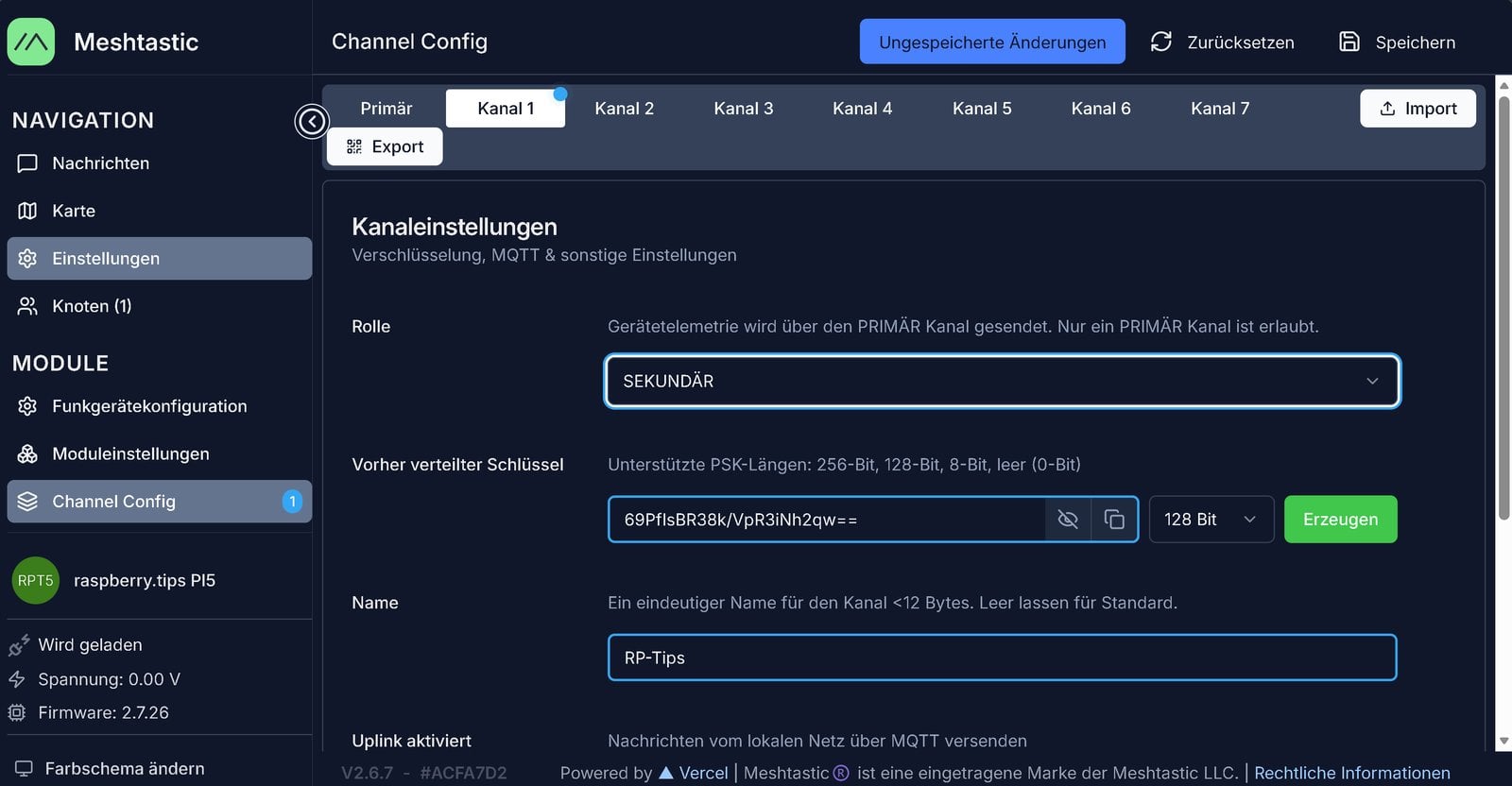
There are two ways to get the channel onto the other nodes. Either you enter name and key there by hand – that is how we created our test channel “RP-Tips” in the web client of the Raspberry Pi, after which messages arrived in both directions. Or you use the channel link: the app offers “Share channel QR code” in its settings, the web client has Export and Import buttons under Channel Config.
Direct messages: first the key, then the message
To encrypt a direct message, the sender needs the recipient’s public key. It does not get it from a server but from the recipient itself: every node regularly broadcasts its node info with name, ID and public key. By default this happens every three hours and after every start.
Direct radio contact is not required for this. The node info is relayed like any other message. It is enough for it to reach the sender via intermediate stations. But it also follows that a direct message is practically only possible if sender and recipient are within the hop limit. Otherwise neither the node info reaches the sender nor the message the recipient.
We could watch this in our test. The app initially knew the Raspberry Pi only from a text message and showed a yellow, open padlock. Only after the Pi had re-sent its node info did the green padlock appear and the detail view open.
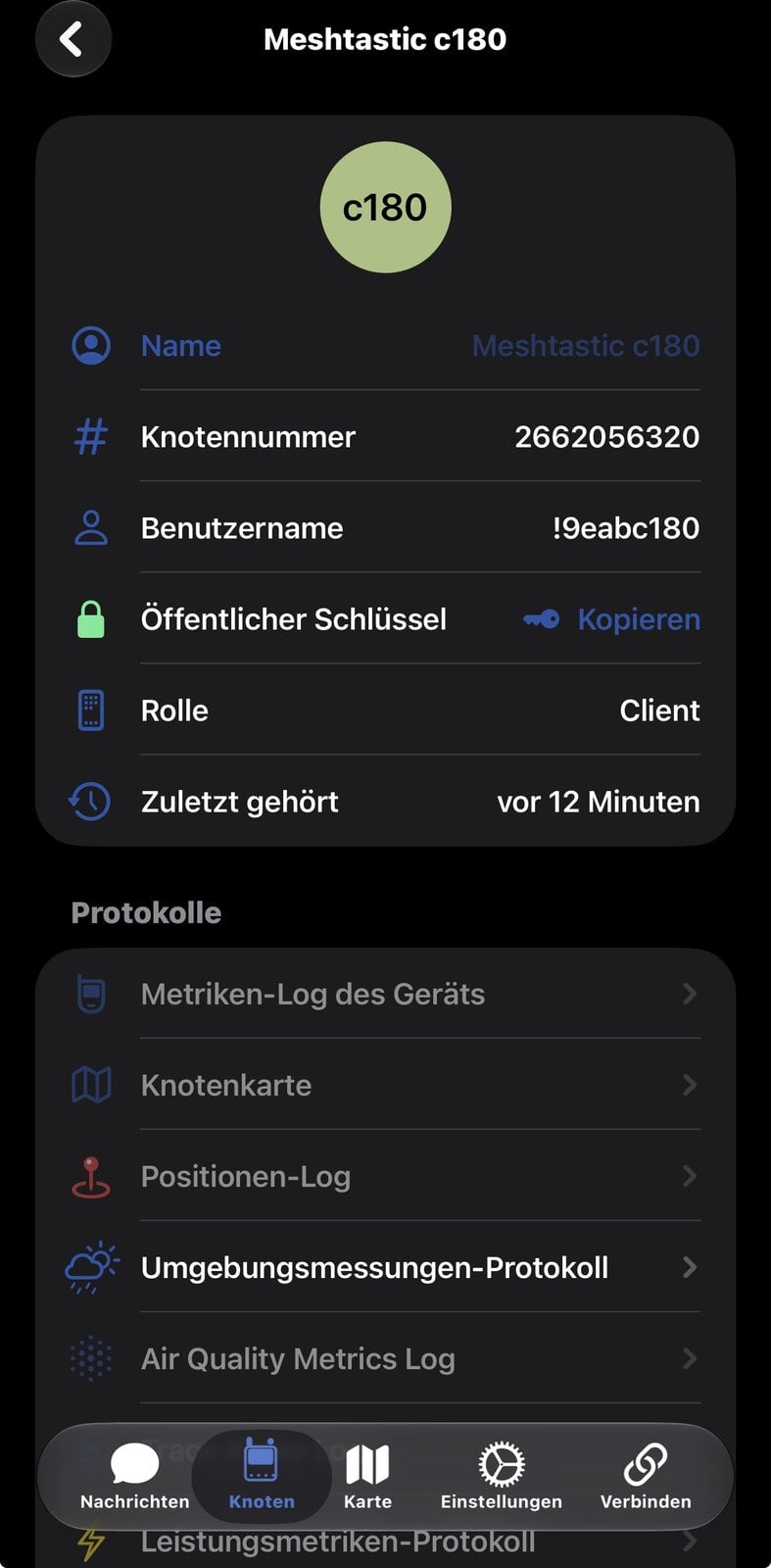
The public key may be overheard by anyone. It can only be used to encrypt. Decrypting is possible only for the node with the matching private key, and that never leaves the device. If you want to be sure who you are writing to, compare the key once by hand; the app offers it for copying in the node details.
How nodes are addressed
Addressing does not use the key but the node ID. That is a 32-bit number each device derives from its hardware address. Our Raspberry Pi has the hardware address 88:A2:9E:AB:C1:80, its ID is !9eabc180. The app also shows the same number in decimal as node number 2662056320.
The header of every packet contains the sender’s ID and the recipient’s. A message to everyone carries a fixed special address as the recipient. ID and key have separate jobs: the ID says who a packet is for, the key makes sure only that node can read it. That is why intermediate stations can deliver a packet without knowing its content.
In practice: contacts and channels via QR code
In everyday use you do not have to handle IDs and keys. The app packs both into QR codes and links that you show, scan or send:
- Share a contact: In the app, open “Share Contact” for your own node. The QR code contains ID, name and public key. Anyone who scans it with their app has your node, key included, in their list and can write encrypted direct messages right away – without waiting for your node info over the air. The same dialog offers the content as a link to send and, on the iPhone, for writing to an NFC tag. The message itself still needs a radio path.
- Share a channel: For your own channel, the settings offer “Share channel QR code”. The code contains the channel’s name and key; whoever scans it joins the channel. The web client offers the same as Export and Import under Channel Config.
- Check keys: A scanned contact definitely comes from the device in front of you. A node you only got to know over radio brings its key along itself – if you want to be precise, compare it once with the other person.
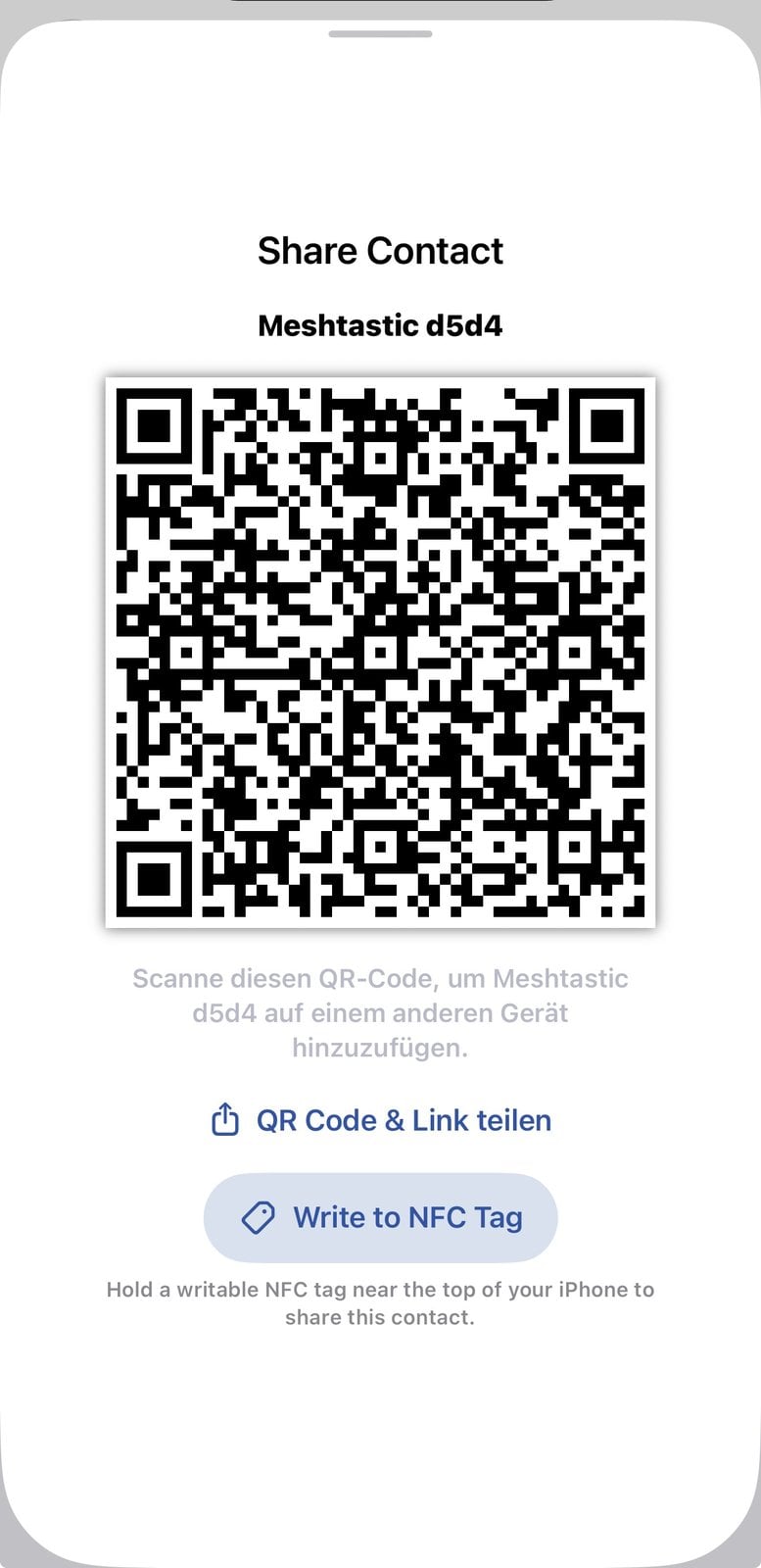
In our test we looked at the channel and contact codes in the dialogs but transferred the channel by hand. Scanning and importing with a third device could not be reproduced with two nodes.
How far does Meshtastic reach?
That depends almost entirely on the line of sight between the antennas. The project’s record list names 331 kilometres between two ground stations – from mountain to mountain. In the city and through walls, only a fraction of that remains. An antenna at the window or on the roof gains more than any other accessory.
In our case the difference was obvious: from inside the room, the link only reached a few kilometres; with a stick antenna hanging out of the window, we got up to 60 kilometres. If you want to bridge longer distances, focus on a good antenna position first, outdoors if in doubt. For your own measurements, Meshtastic ships a range test module, where a fixed node sends numbered packets and the app on the move stores the position for every packet received.
How much power a node needs
Range is one strength of LoRa, frugality the other. With all three antennas and a sensor, our Starter Kit drew around 0.2 watts in operation – read off a power bank with a power display, so a rough figure without a meter. What that means:
- A day of continuous operation costs just under 5 watt-hours. A 10,000 mAh power bank, about 37 watt-hours, therefore lasts roughly a week on paper.
- On a power supply, a year adds up to about 1.8 kilowatt-hours – roughly what a Raspberry Pi 5 uses in a month at idle.
- A small solar panel with a battery is enough for a node that stays outdoors permanently. That is exactly how many relays on roofs and hills are run.
The figure comes from one device on one day, a power bank’s display rounds coarsely, and it applies to a node that only listens and transmits occasionally. In continuous transmission, such as a range test, consumption is higher.
Frequently asked questions
No. In Europe, Meshtastic uses the licence-free 868 MHz band, and there is neither a user account nor a provider. The node must be set to the EU_868 region so that transmit power and airtime match the rules.
At least two, unless there is already a network near you. With a single node you otherwise cannot see whether messages arrive.
No. The LongFast preset transfers 1.07 kilobits per second, a packet holds about 230 bytes, and in Europe each node may transmit at most ten percent of the time. That is enough for short texts, positions and readings.
Yes, but the default channel uses a publicly known key and is therefore readable by everyone. Messages in your own channel with your own key and direct messages encrypted with the recipient’s public key are confidential.
No, there is no delivery guarantee. All nodes share one frequency, packets can collide, and relaying ends after three stations. With direct messages, the recipient sends an acknowledgement back.
Yes, as long as all of them run the Meshtastic firmware and region, radio preset and channel match. Devices with other firmware such as MeshCore or LoRaWAN are not compatible, even if the hardware is the same.
Conclusion
The core of Meshtastic is range: kilometres instead of metres, with devices that get by on 0.2 watts and run for days on a power bank. In return you accept limits: little data, no delivery guarantee, an open default channel. If you know that, you get a radio network for little money that keeps working when cellular and internet are gone. Two nodes and an evening are enough to get started.
How to turn a Raspberry Pi into a fixed node that listens permanently and is reachable from a browser is shown in our guide to the Raspberry Pi as a Meshtastic node. Have fun on the air!